1
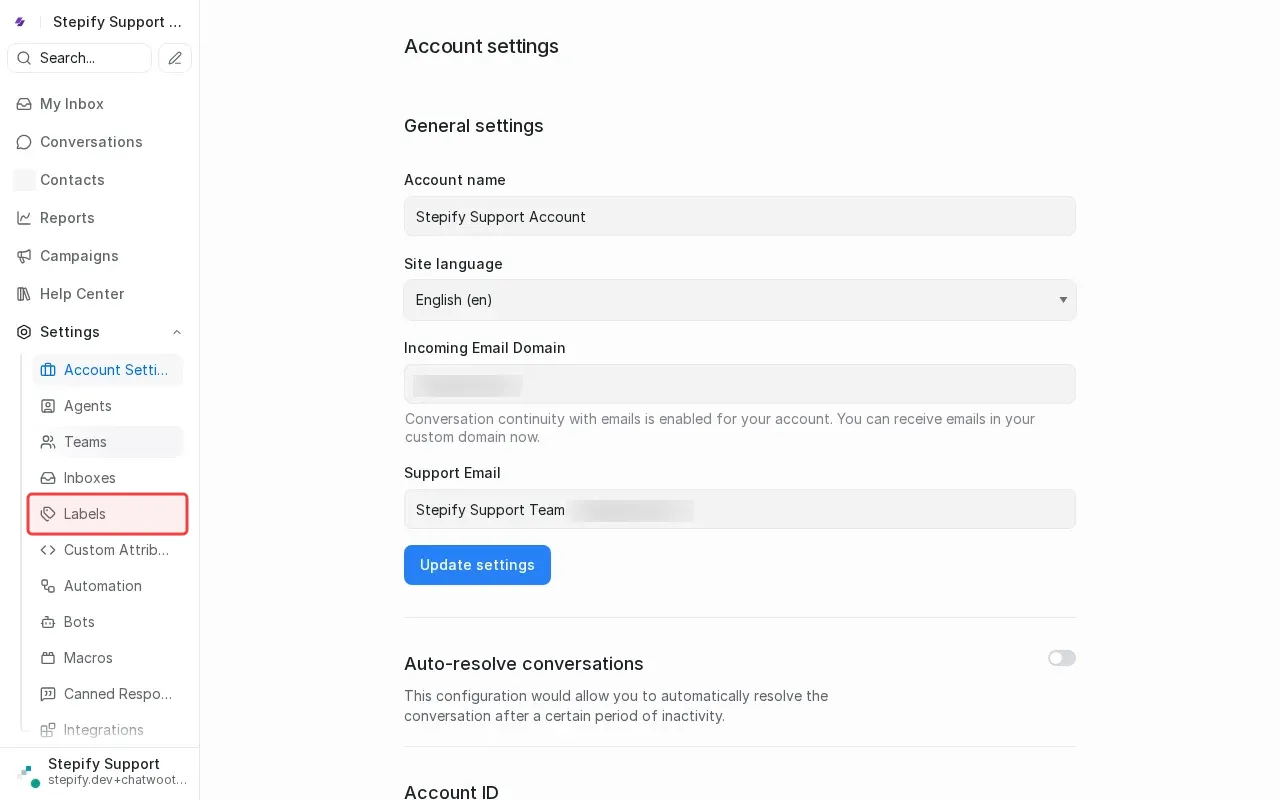
Click Settings in sidebar to access configuration options.
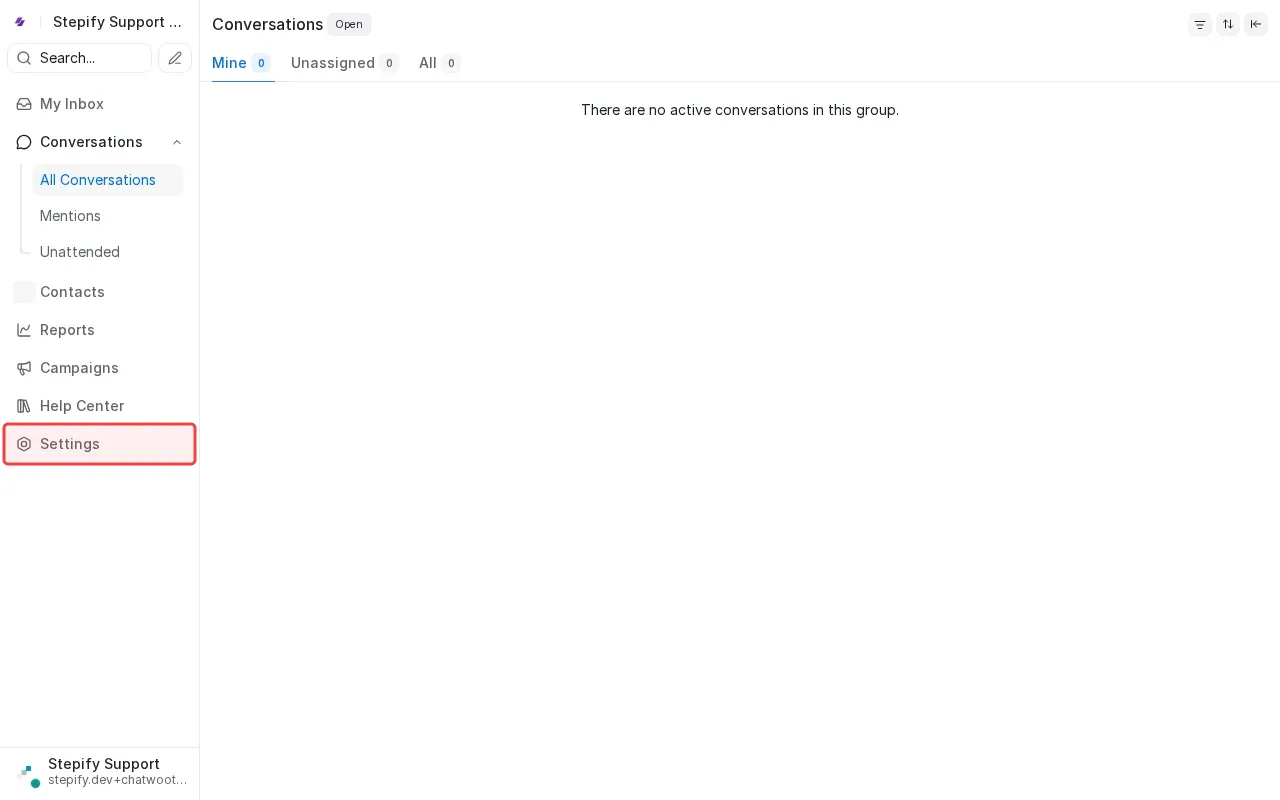
Step 1: Click Settings in sidebar to access configuration options.
Step 2: Click 'Labels' in settings menu to manage labels.
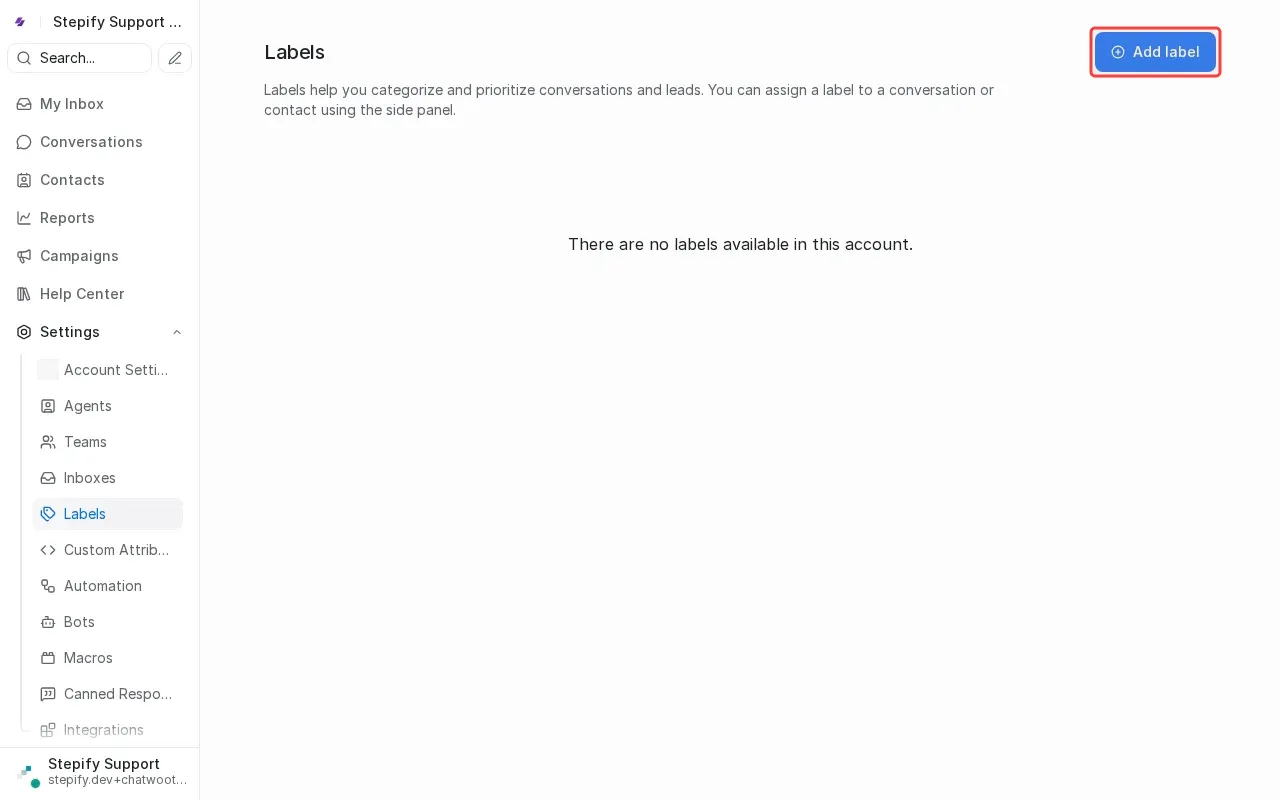
Step 3: Click 'Add label' button to open label creation form.
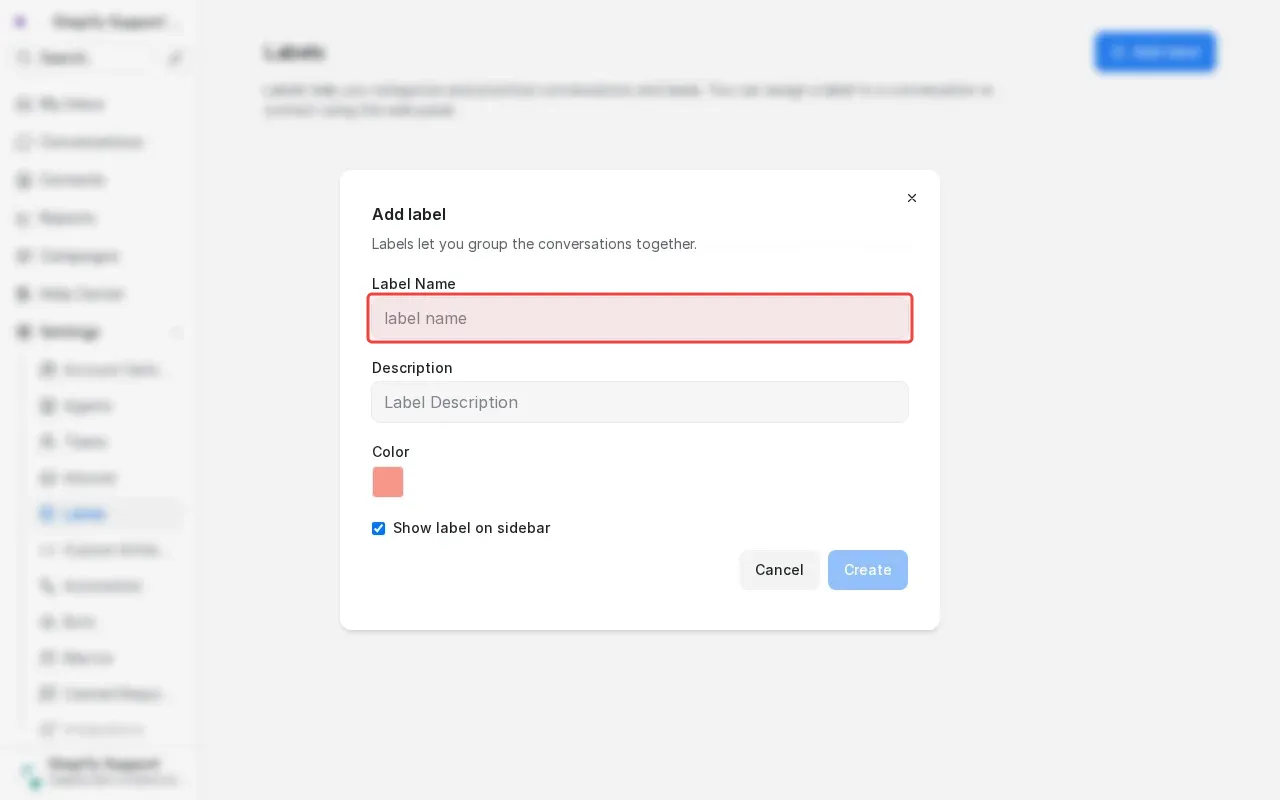
Step 4: Type 'VIP' in the label name field.
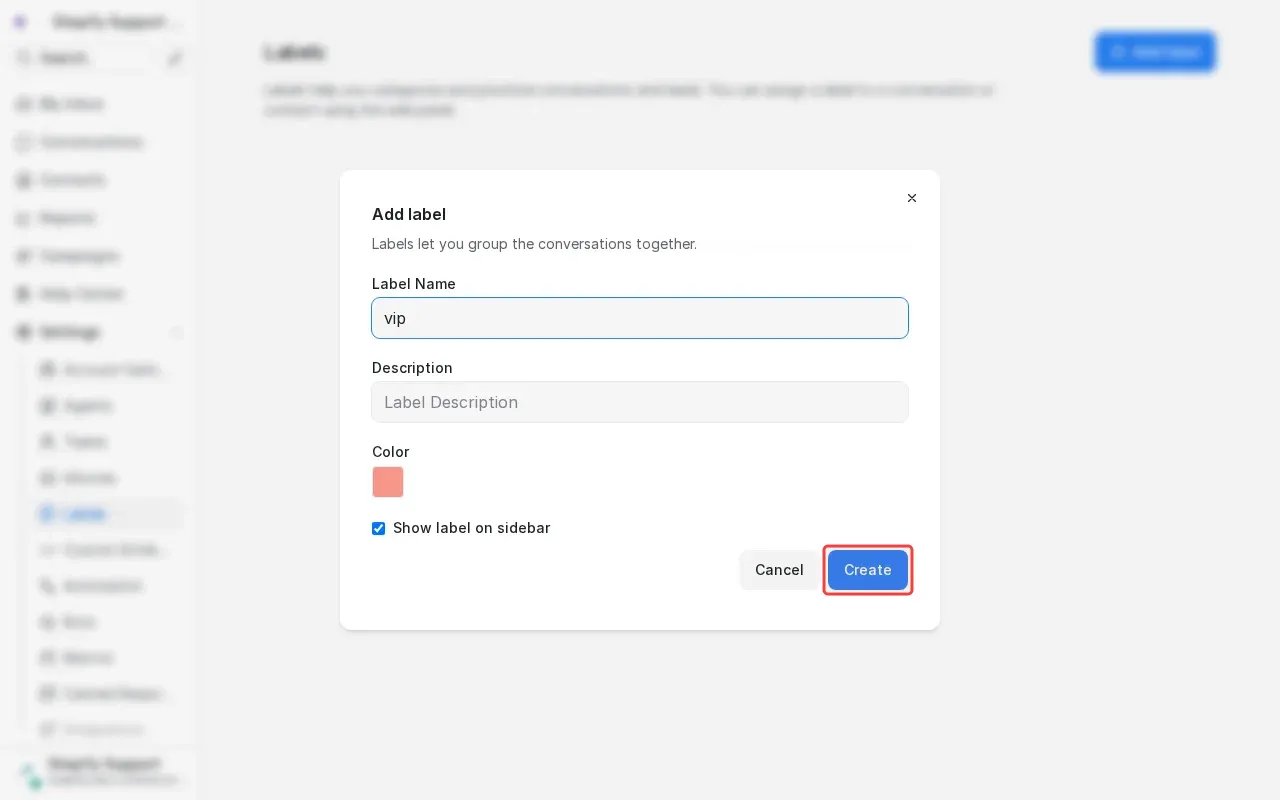
Step 5: Click 'Create' button to save the VIP label.