Chatwoot

How to create a new canned response called Thank You in Chatwoot

6 steps 45s 19/02/2026 10:55 16 views
0:00 / 0:00

Transcript

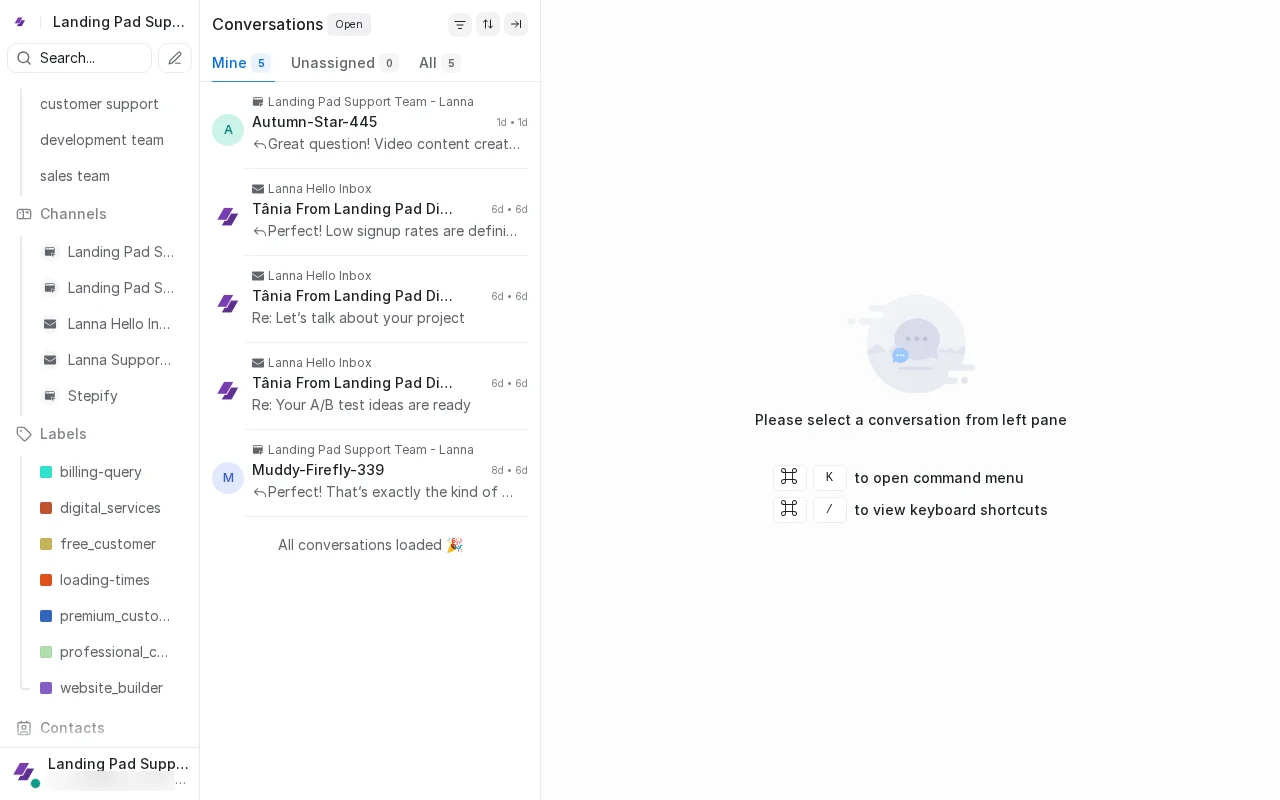
Step 1: Scroll to reveal Settings gear icon at bottom.

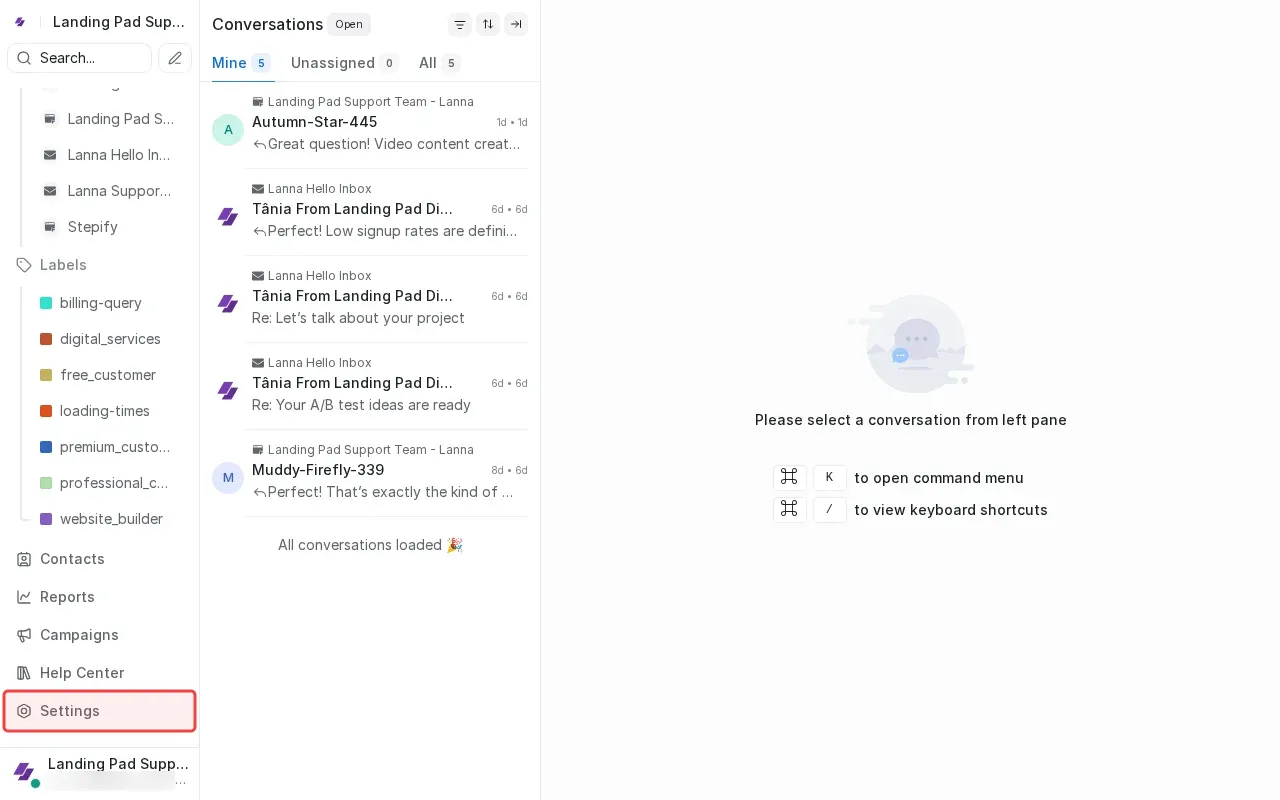
Step 2: Click Settings at bottom of sidebar.

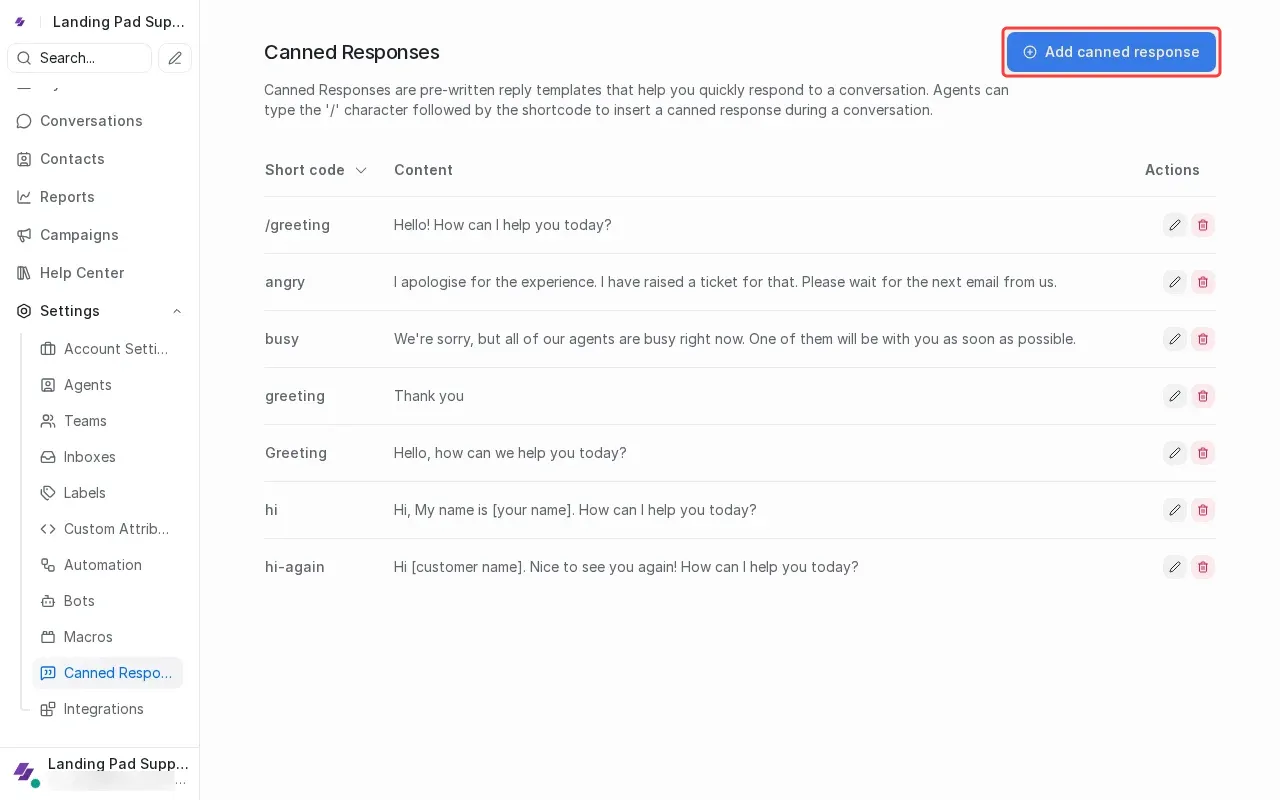
Step 3: Click 'Add canned response' button to open form.

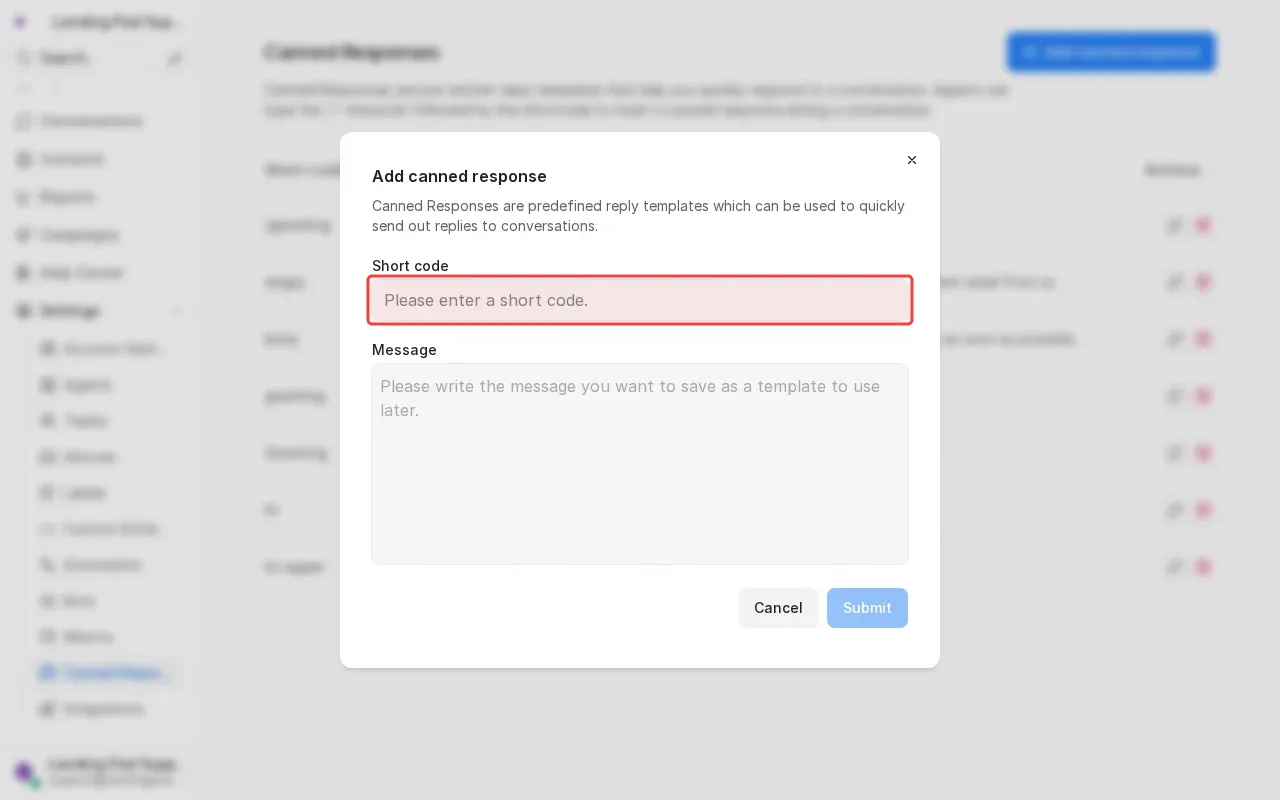
Step 4: Type 'Thank You' in the short code field.

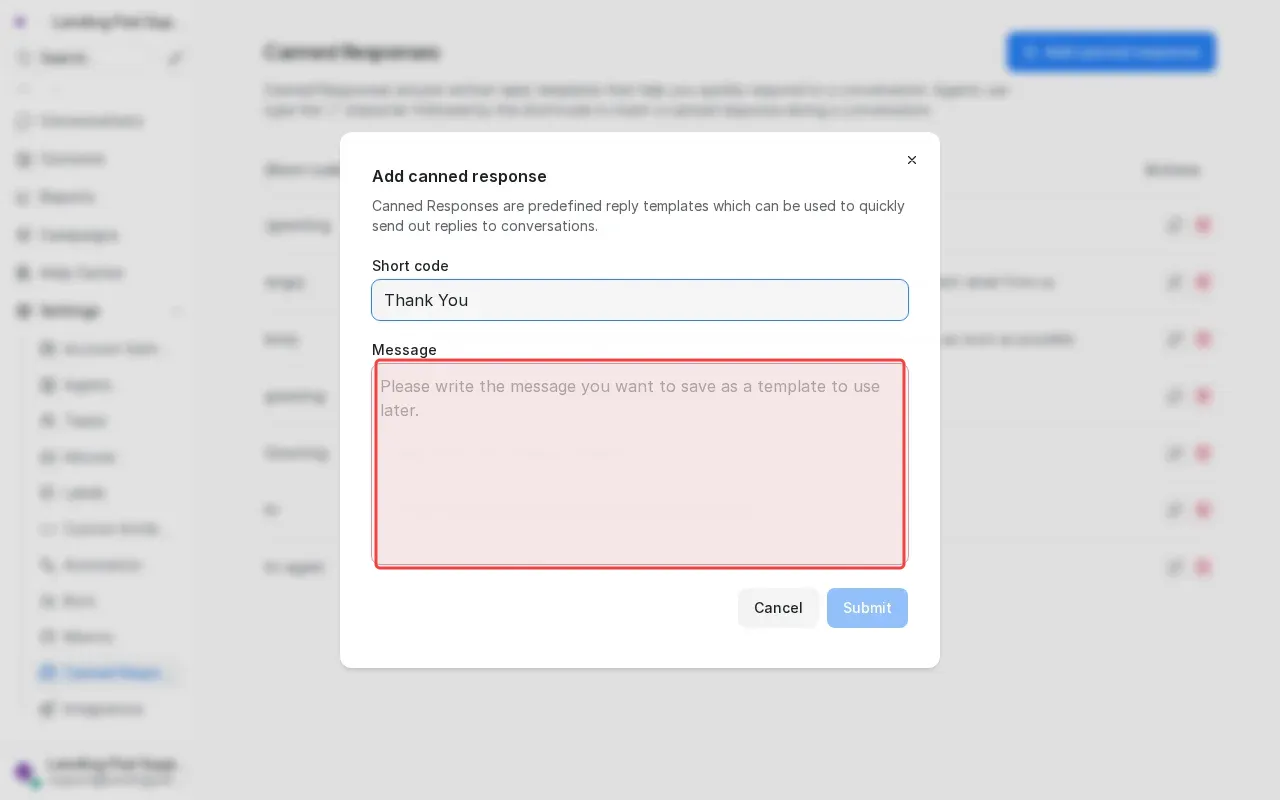
Step 5: Type thank you message in the content textarea.

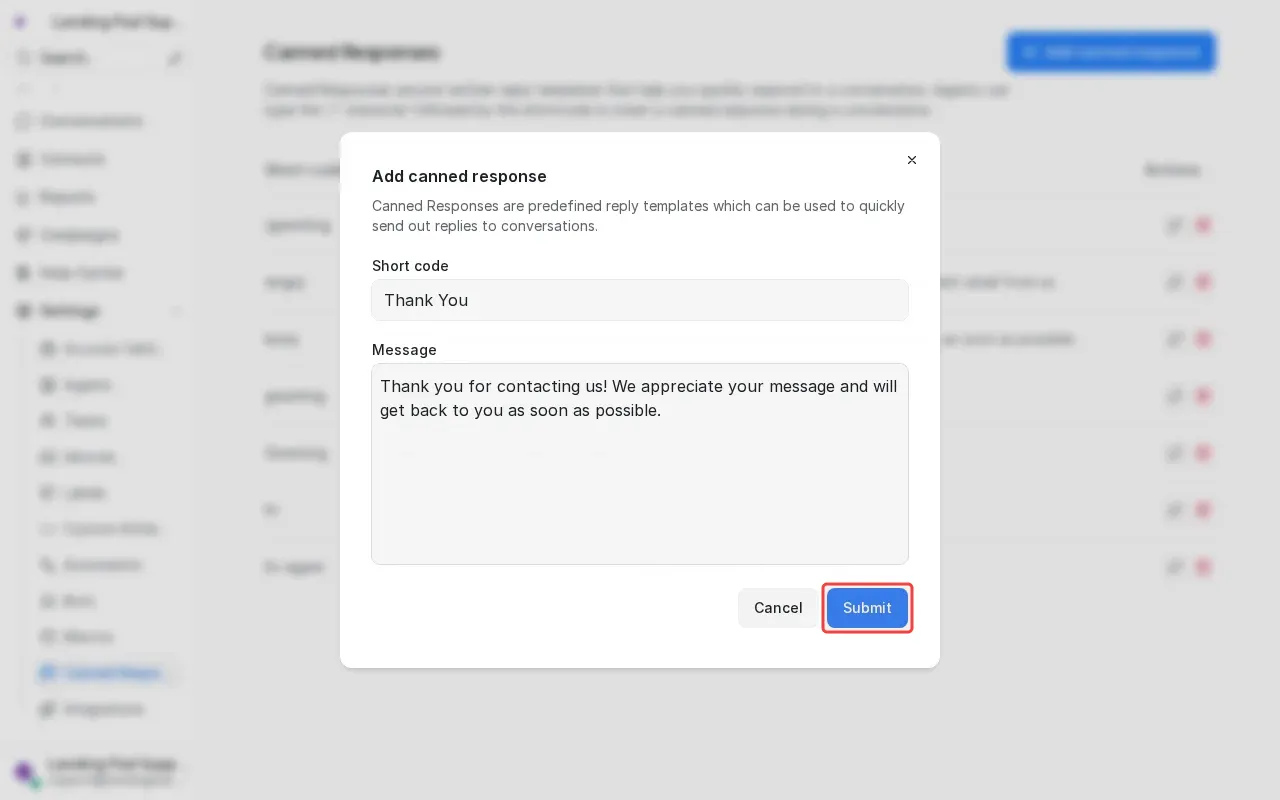
Step 6: Click 'Submit' to save the canned response.

Step-by-Step Guide

1

Scroll to reveal Settings gear icon at bottom.

Screenshot showing scrolling to reveal Settings gear icon at bottom
2

Click Settings at bottom of sidebar.

Screenshot showing clicking Settings at bottom of sidebar
3

Click 'Add canned response' to open form.

Screenshot showing clicking Add canned response to open form
4

Type 'Thank You' in the short code field.

Screenshot showing typing Thank You in the short code field
5

Type thank you message in the content textarea.

Screenshot showing typing thank you message in the content textarea
6

Click 'Submit' to save the canned response.

Screenshot showing clicking Submit to save the canned response