Calendly

How to create a a new event type in Calendly

6 steps 39s 20/02/2026 15:00 1 views
0:00 / 0:00

Transcript

Step 1: Click 'New event type' button to start creation.

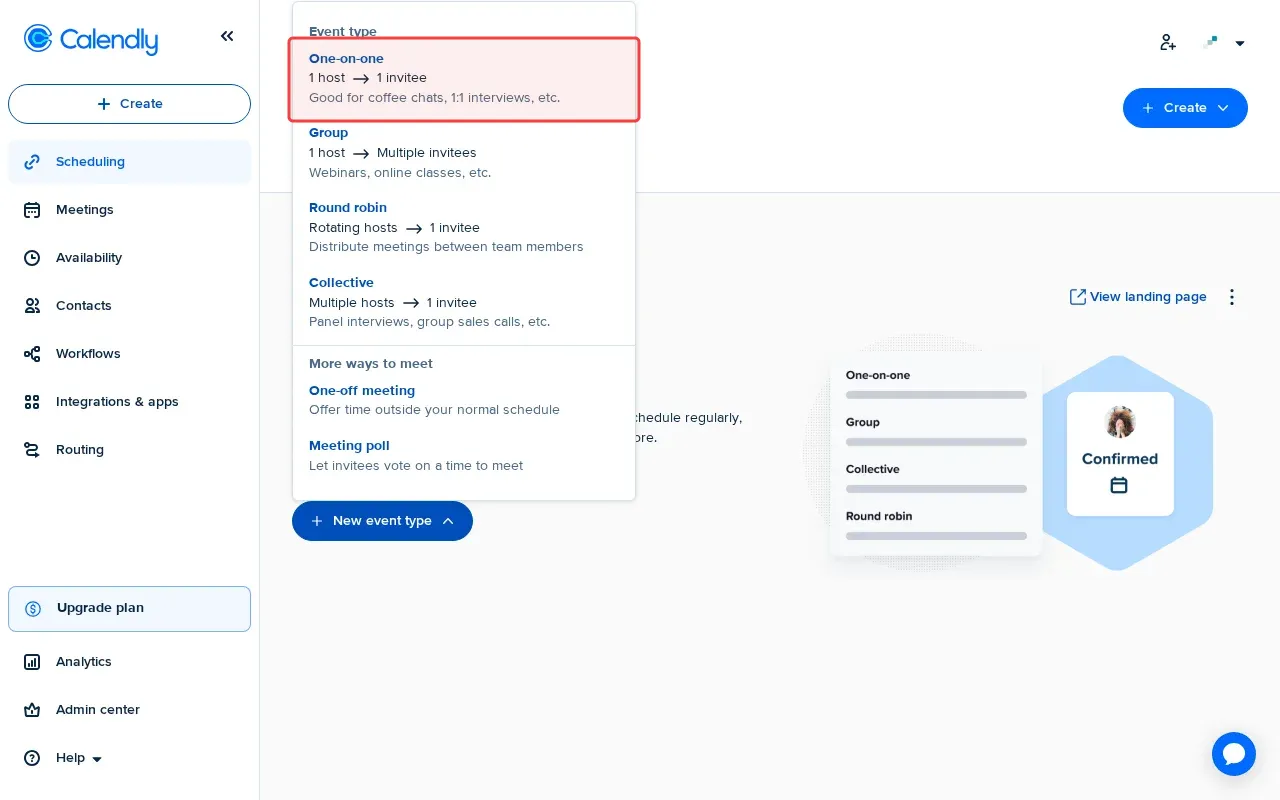
Step 2: Select 'One-on-One' event type for single host meetings.

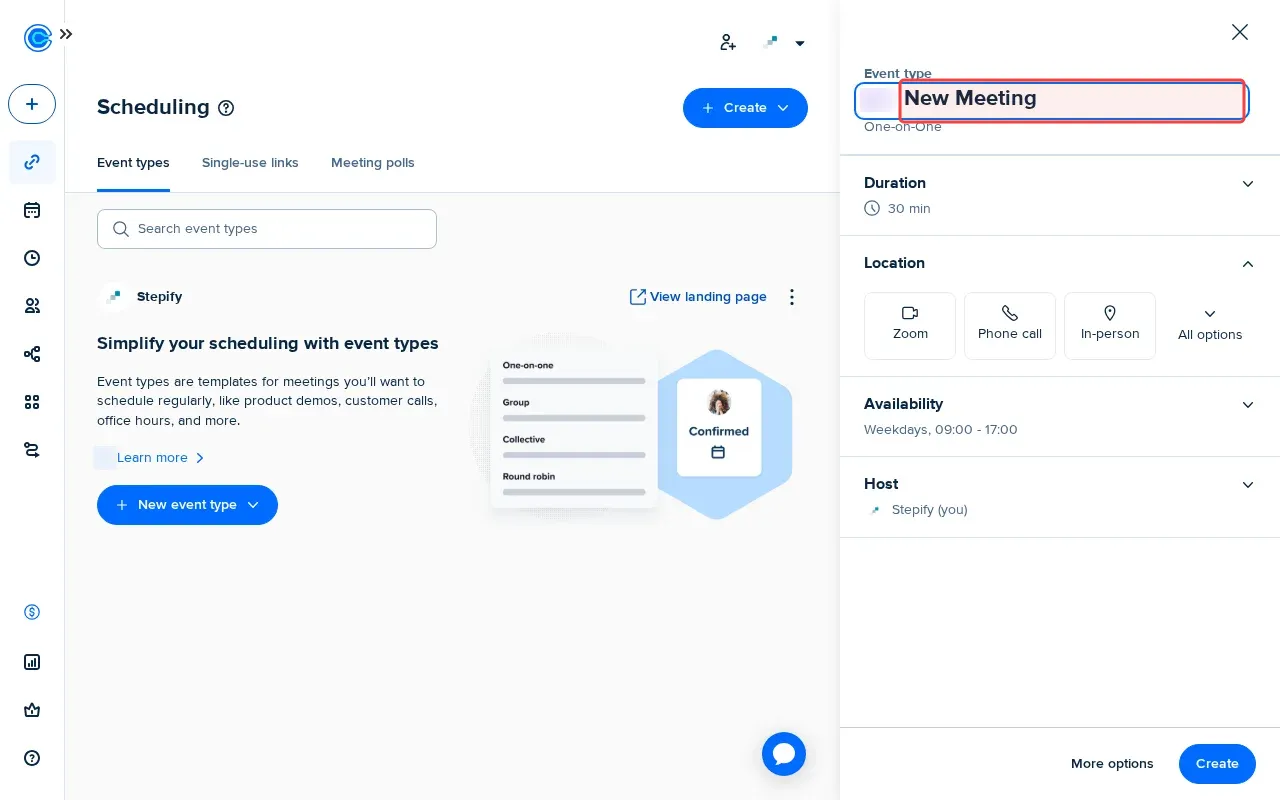
Step 3: Type event name in the name field.

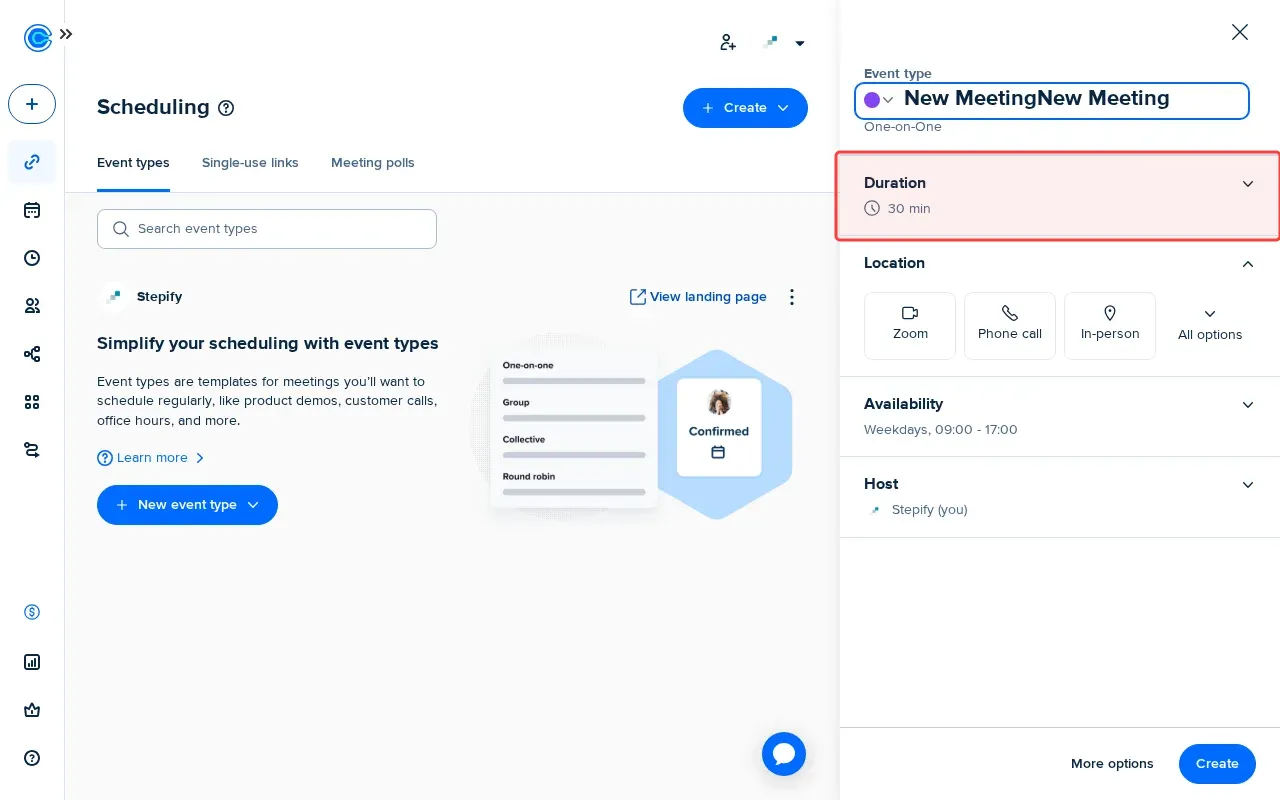
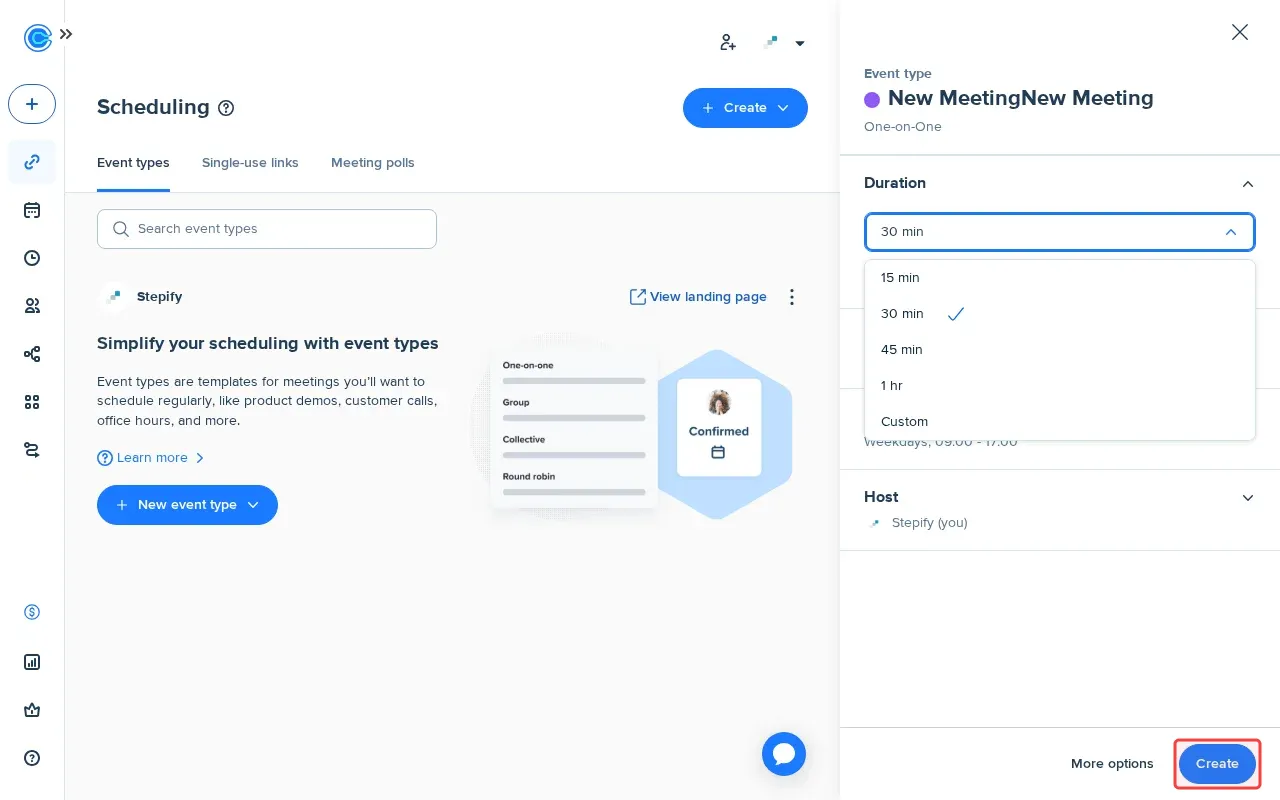
Step 4: Click Duration selector to set meeting length.

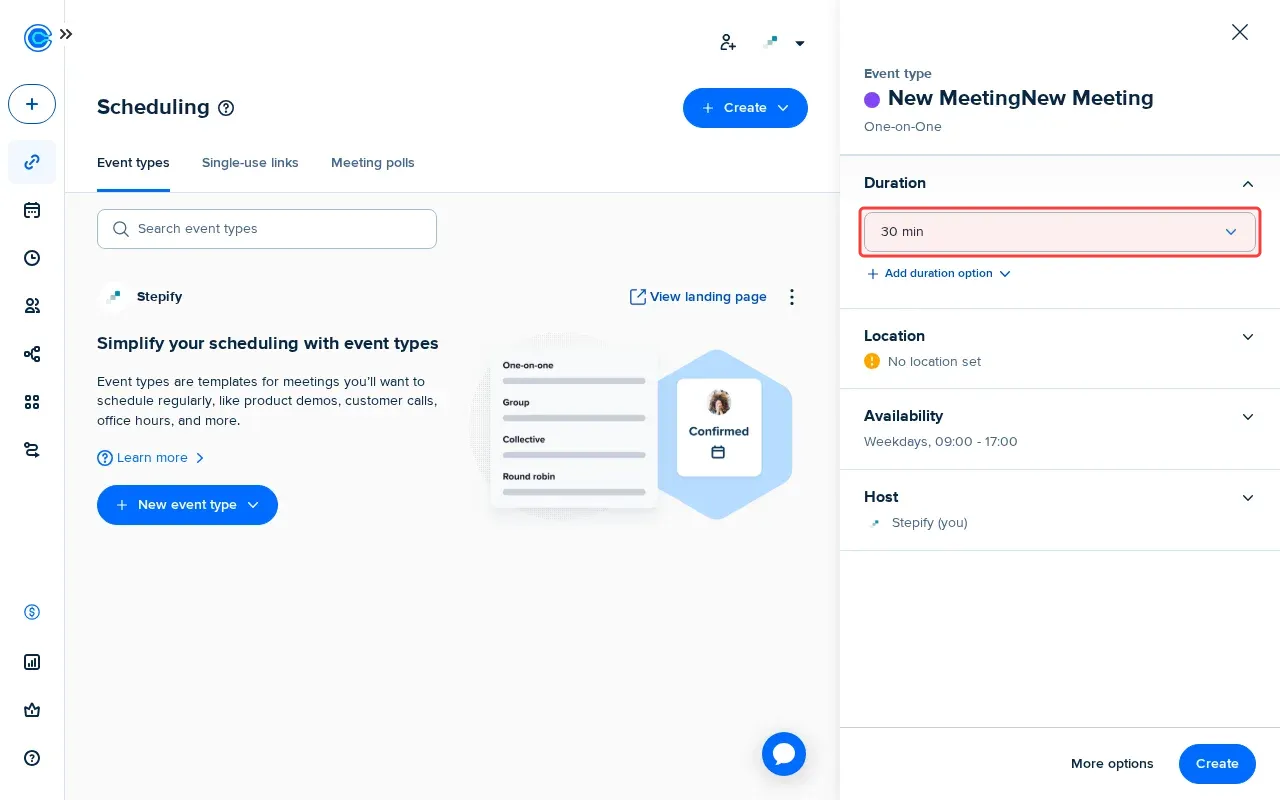
Step 5: Select duration from the dropdown menu.

Step 6: Click 'Create' button to save the event type.

Step-by-Step Guide

1

Click 'New event type' to start creation.
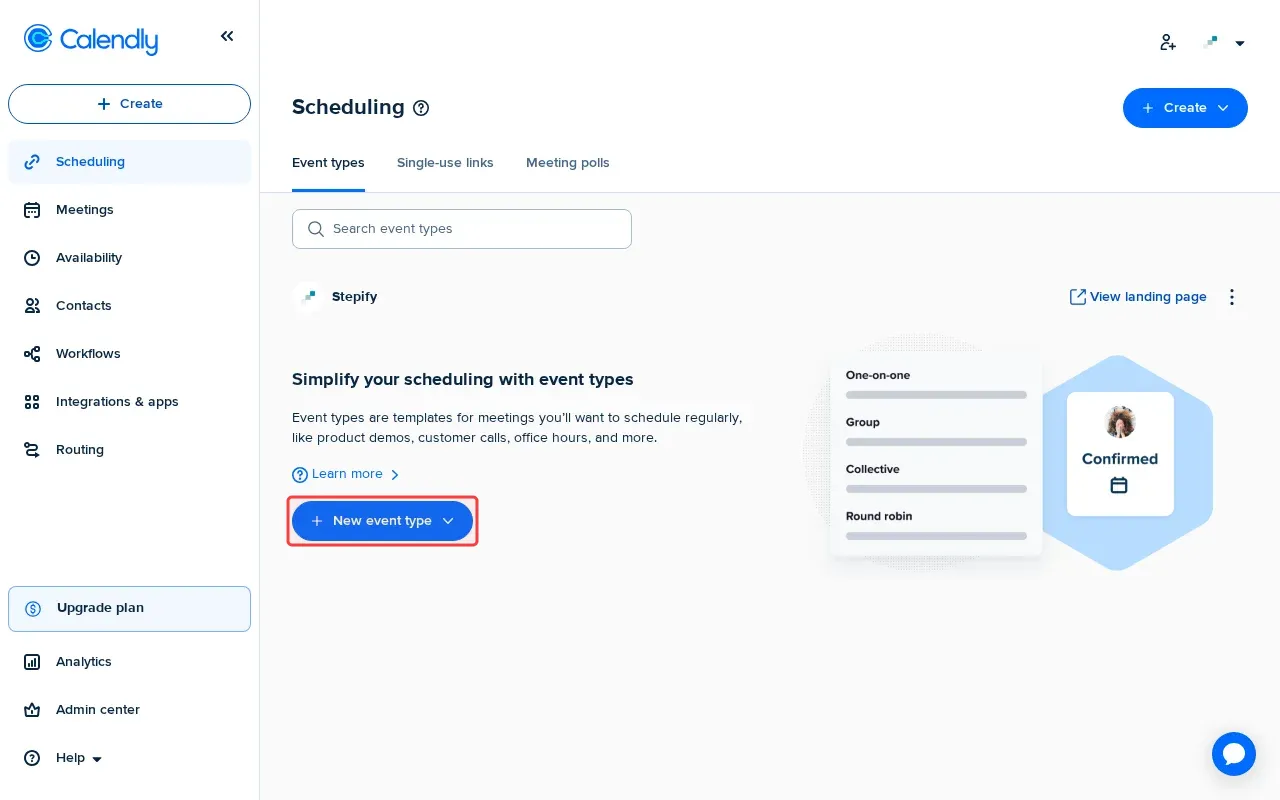
Screenshot showing clicking New event type to start creation
2

Select 'One-on-One' event type for single host meetings.

Screenshot showing selecting One-on-One event type for single host meetings
3

Type event name in the name field.

Screenshot showing typing event name in the name field
4

Click Duration selector to set meeting length.

Screenshot showing clicking Duration selector to set meeting length
5

Select duration from the dropdown menu.

Screenshot showing selecting duration from the dropdown menu
6

Click 'Create' to save the event type.

Screenshot showing clicking Create to save the event type