Matomo

How to check user behaviour in Matomo

2 steps 24s 04/03/2026 16:51 59 views
0:00 / 0:00

Transcript

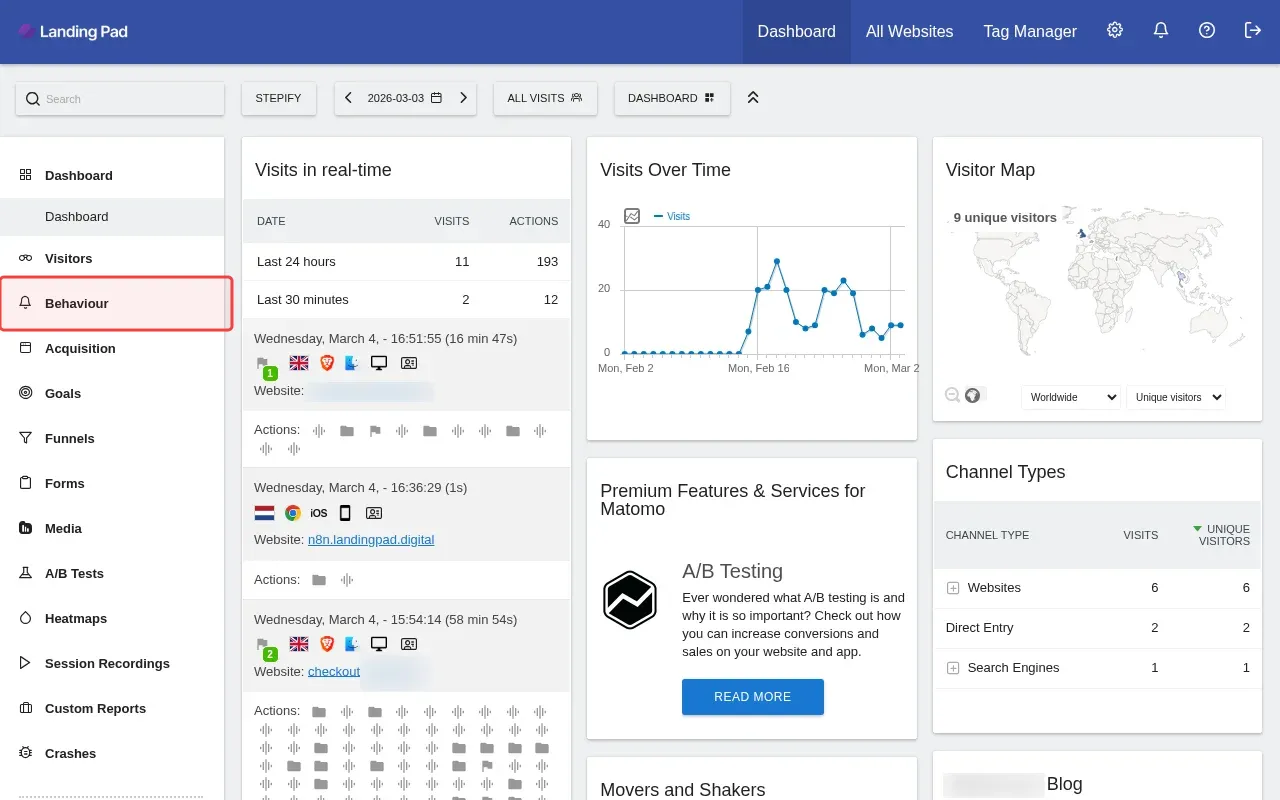
Step 1: Click 'Behaviour' in the sidebar to access behavior reports.

Step 2: Click 'Pages' to view user page behavior data.
Step-by-Step Guide

1

Click 'Behaviour' in the sidebar to access behavior reports.

Screenshot showing clicking Behaviour in the sidebar to access behavior reports
2

Click 'Pages' to view user page behavior data.
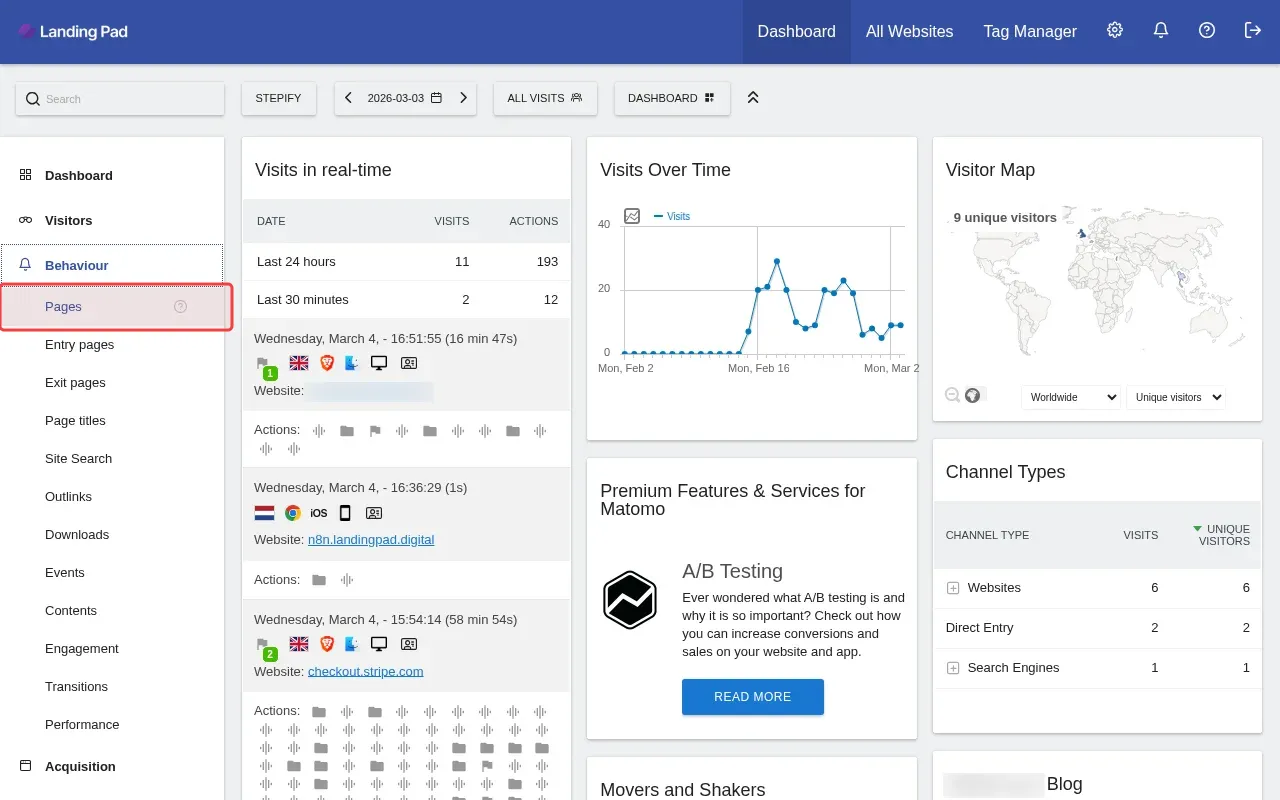
Screenshot showing clicking Pages to view user page behavior data