Odoo CRM

How to create a new sales order in Odoo CRM

6 steps 3m 29s 21/02/2026 14:34 8 views
0:00 / 0:00

Transcript

Step 1: Click 'Sales' in sidebar to navigate to Sales app.

Step 2: Click 'New' button to create sales order.

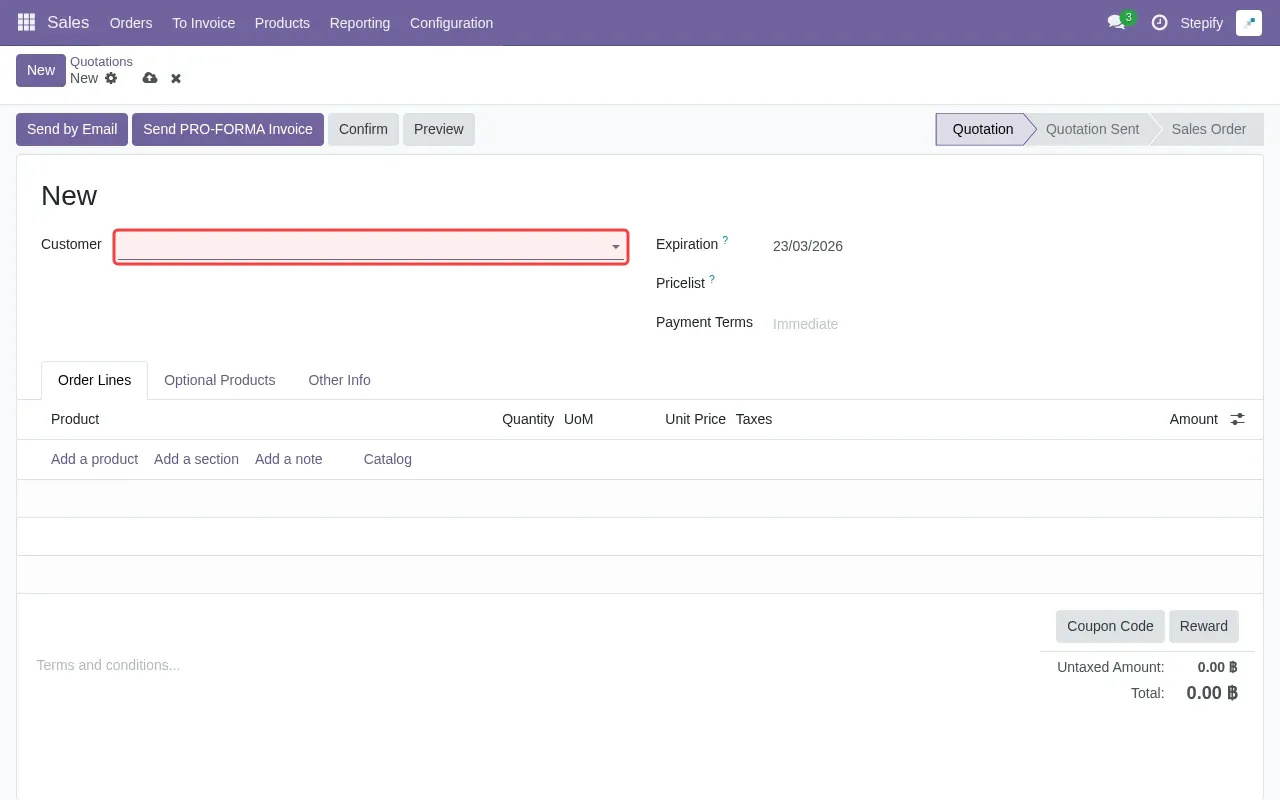
Step 3: Click Customer field to select a customer.

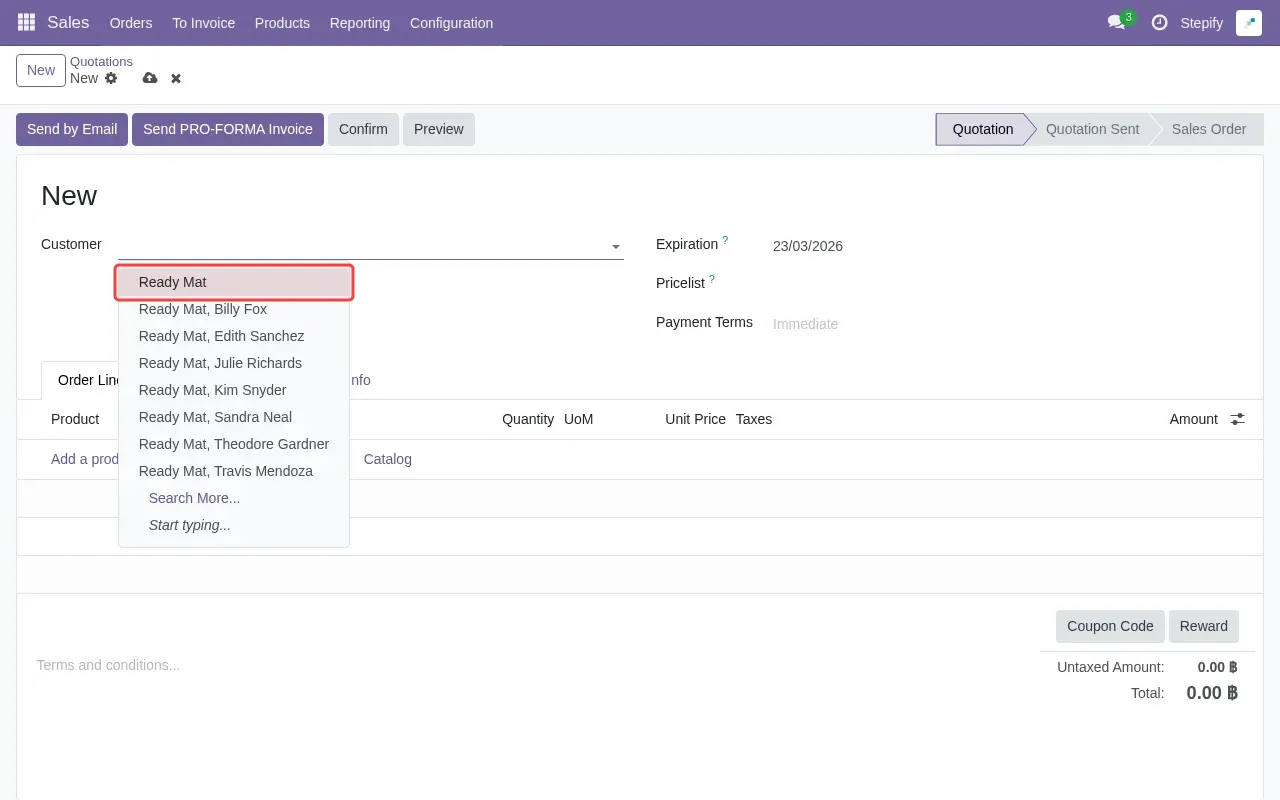
Step 4: Select 'Ready Mat' customer from dropdown.

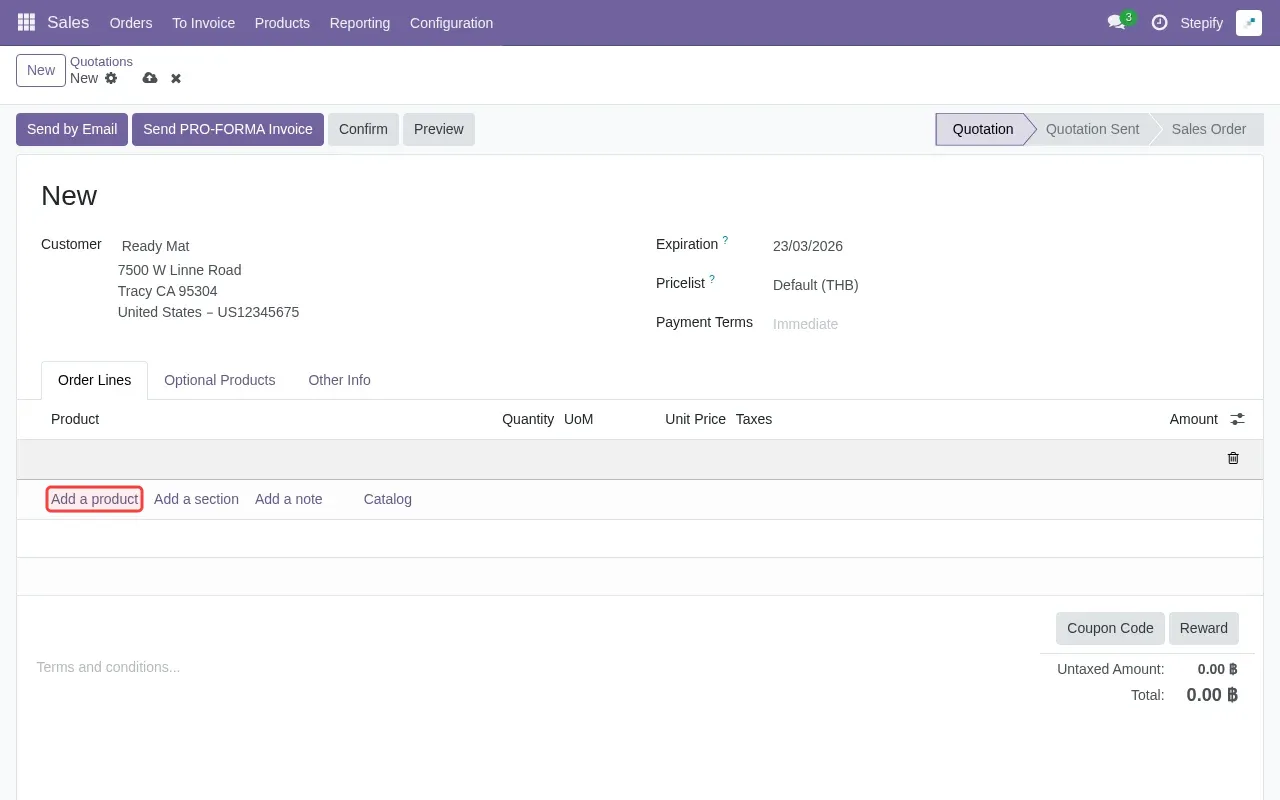
Step 5: Click 'Add a product' to add items to order.

Step 6: Click save button to complete sales quotation creation.

Step-by-Step Guide

1

Click 'Sales' in sidebar to navigate to Sales app.
Screenshot showing clicking Sales in sidebar to navigate to Sales app
2

Click 'New' to create sales order.

Screenshot showing clicking New to create sales order
3

Click Customer field to select a customer.

Screenshot showing clicking Customer field to select a customer
4

Select 'Ready Mat' customer from dropdown.

Screenshot showing selecting Ready Mat customer from dropdown
5

Click 'Add a product' to add items to order.

Screenshot showing clicking Add a product to add items to order
6

Click save button to complete sales quotation creation.
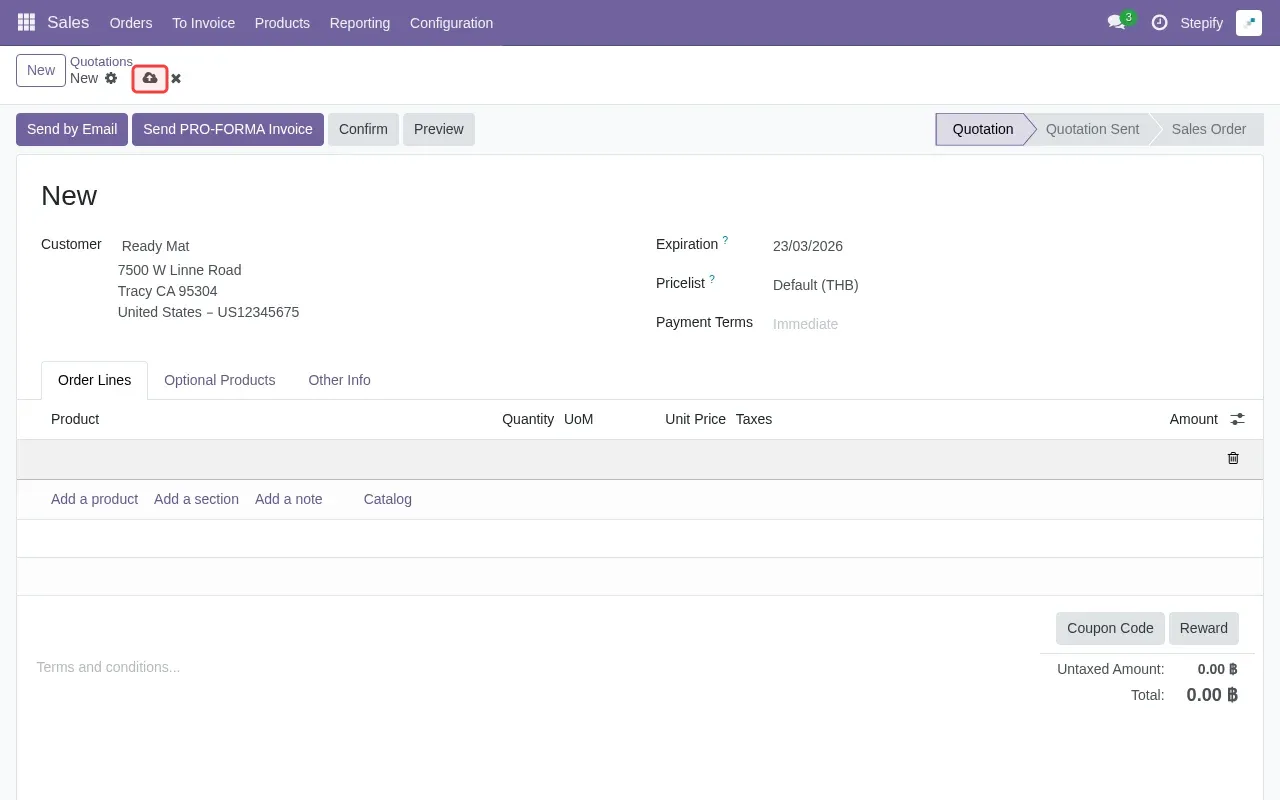
Screenshot showing clicking save button to complete sales quotation creation