supabase

How to create a new table with columns in the Supabase Table Editor

5 steps 4m 28s 08/03/2026 22:44 62 views
0:00 / 0:00

Transcript

Step 1: Click Stepify Project to open the project dashboard.

Step 2: Click 'Table Editor' in sidebar to access table management.

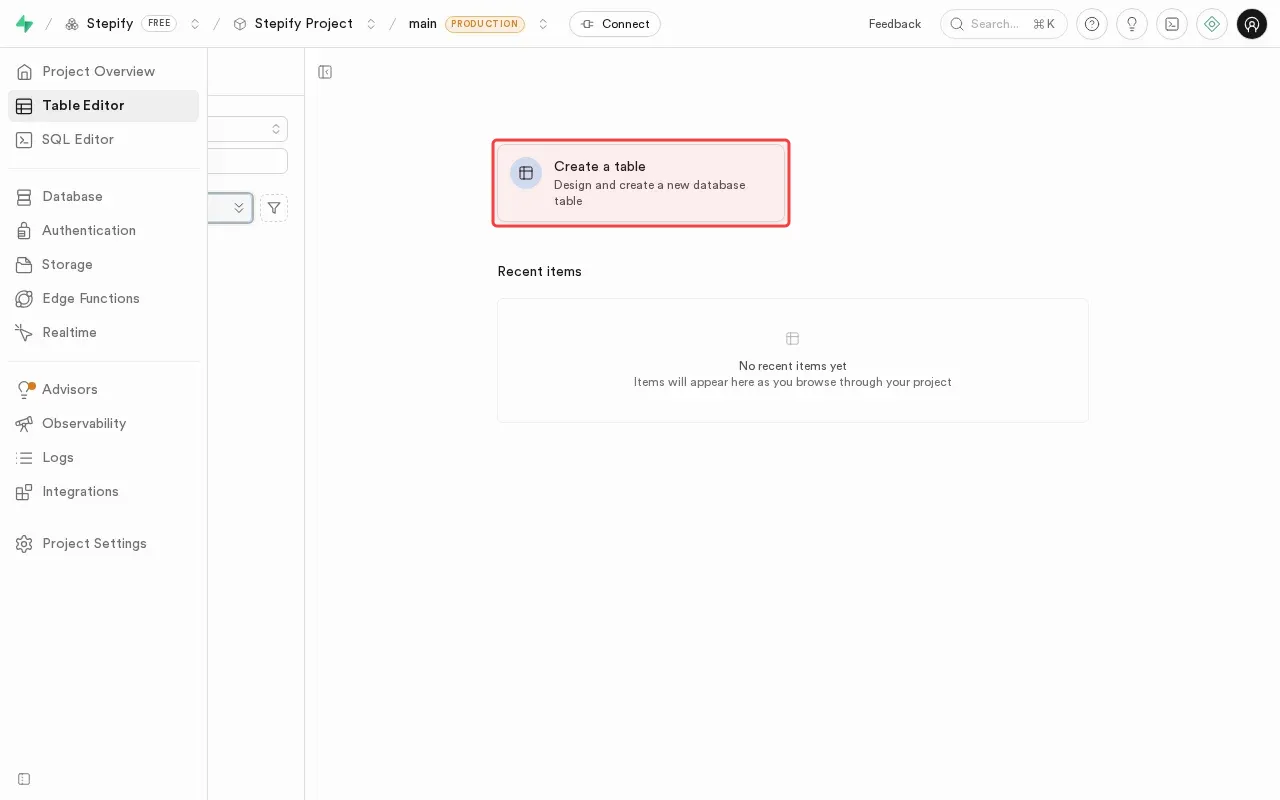
Step 3: Click 'Create a table' button to start table creation.

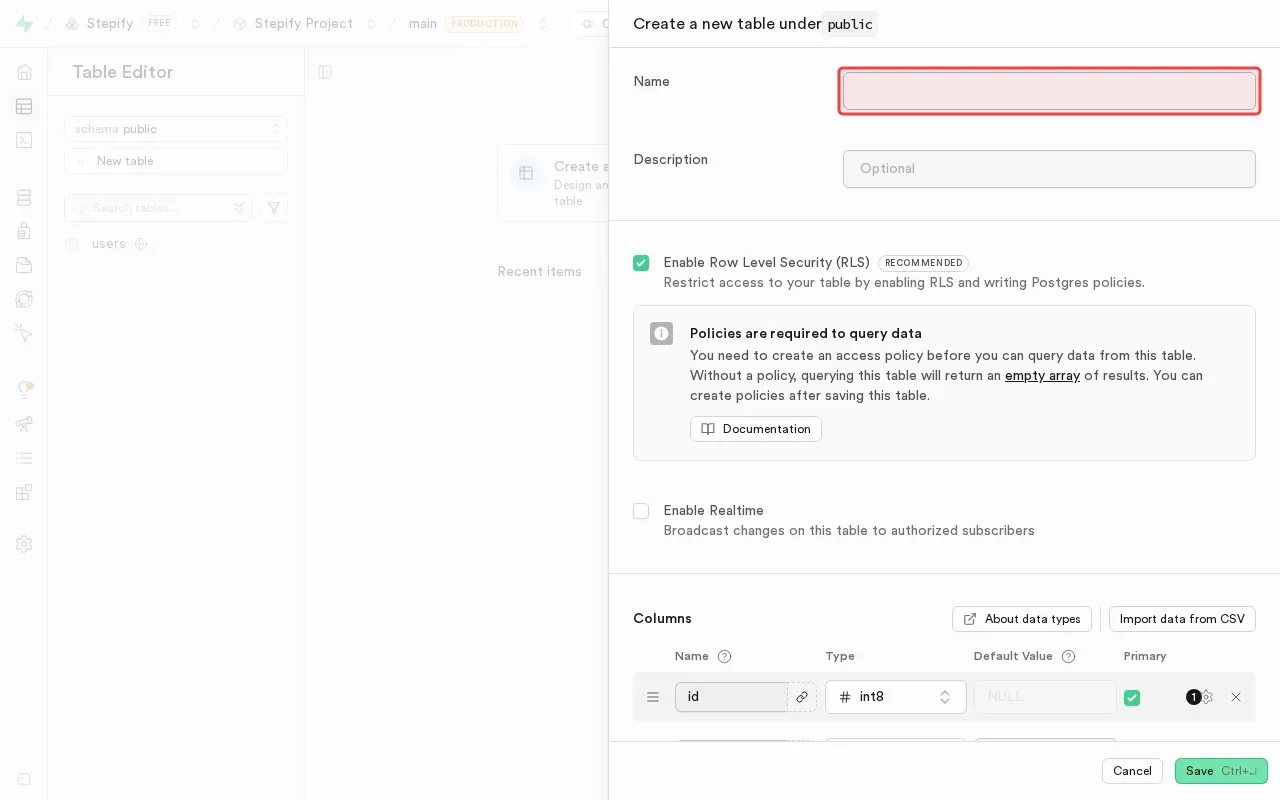
Step 4: Type 'users' in the name field to set table name.

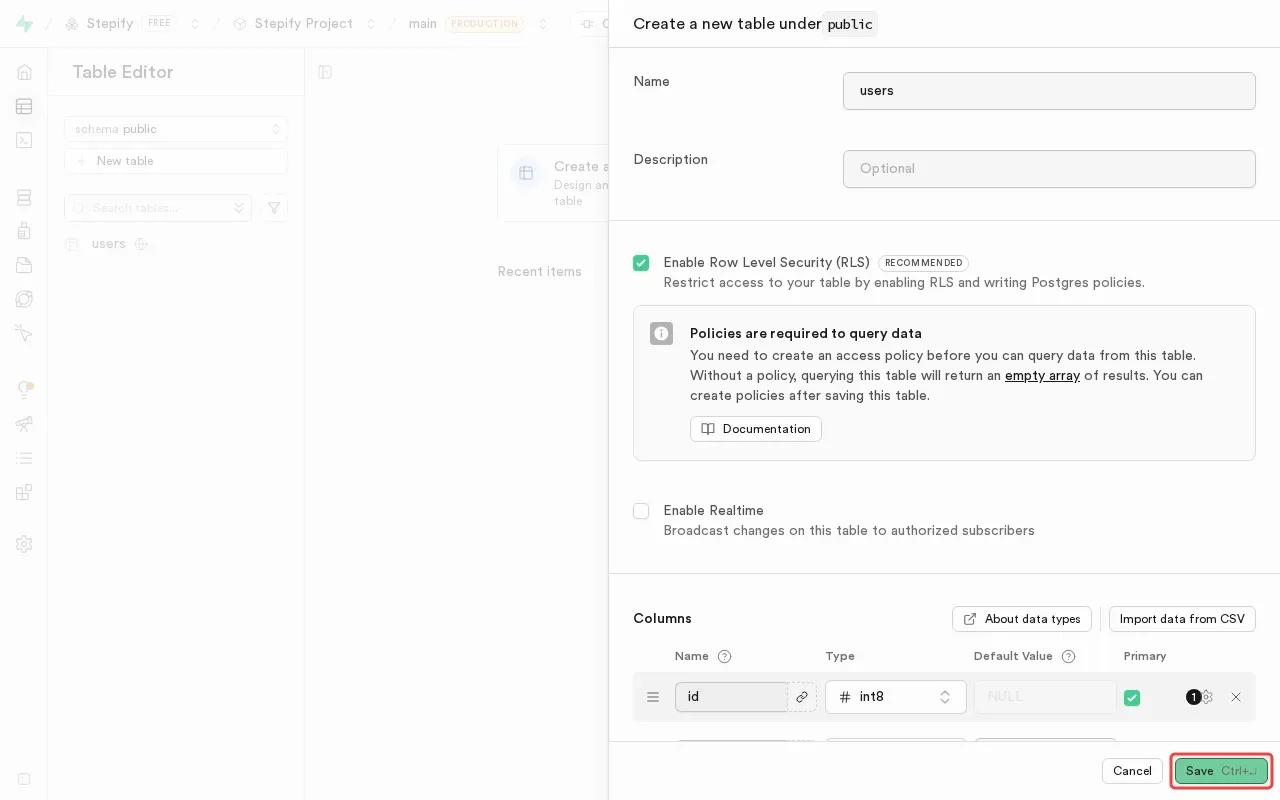
Step 5: Click Save button to create the users table.

Step 6: Click Save button to create the users table.

Step-by-Step Guide

1

Click Stepify Project to open the project dashboard.
Screenshot showing clicking Stepify Project to open the project dashboard
2

Click 'Table Editor' in sidebar to access table management.

Screenshot showing clicking Table Editor in sidebar to access table management
3

Click 'Create a table' to start table creation.

Screenshot showing clicking Create a table to start table creation
4

Type 'users' in the name field to set table name.

Screenshot showing typing users in the name field to set table name
5

Click Save button to create the users table.
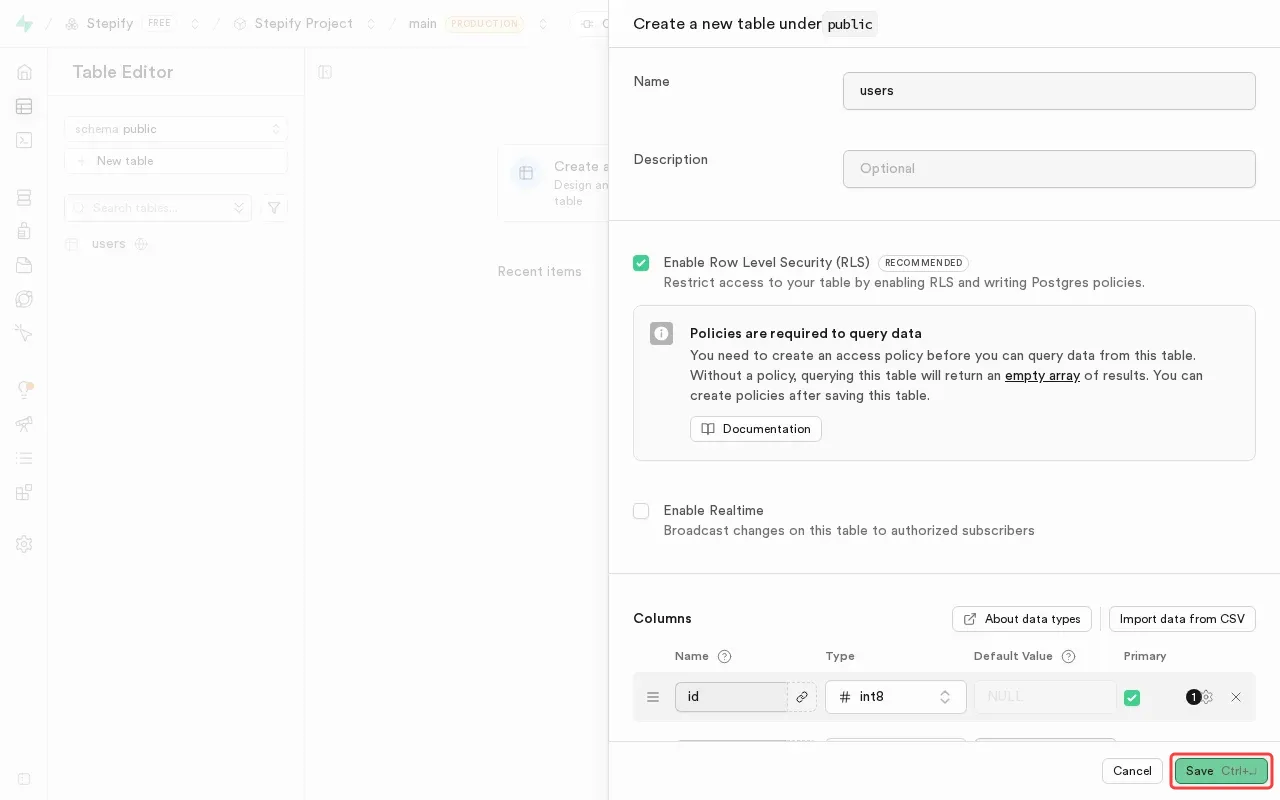
Screenshot showing clicking Save button to create the users table