Chatwoot

How to create a canned response in Chatwoot

6 steps 35s 05/03/2026 20:33 77 views
0:00 / 0:00

Transcript

Step 1: Click 'Settings' in the sidebar to open settings.

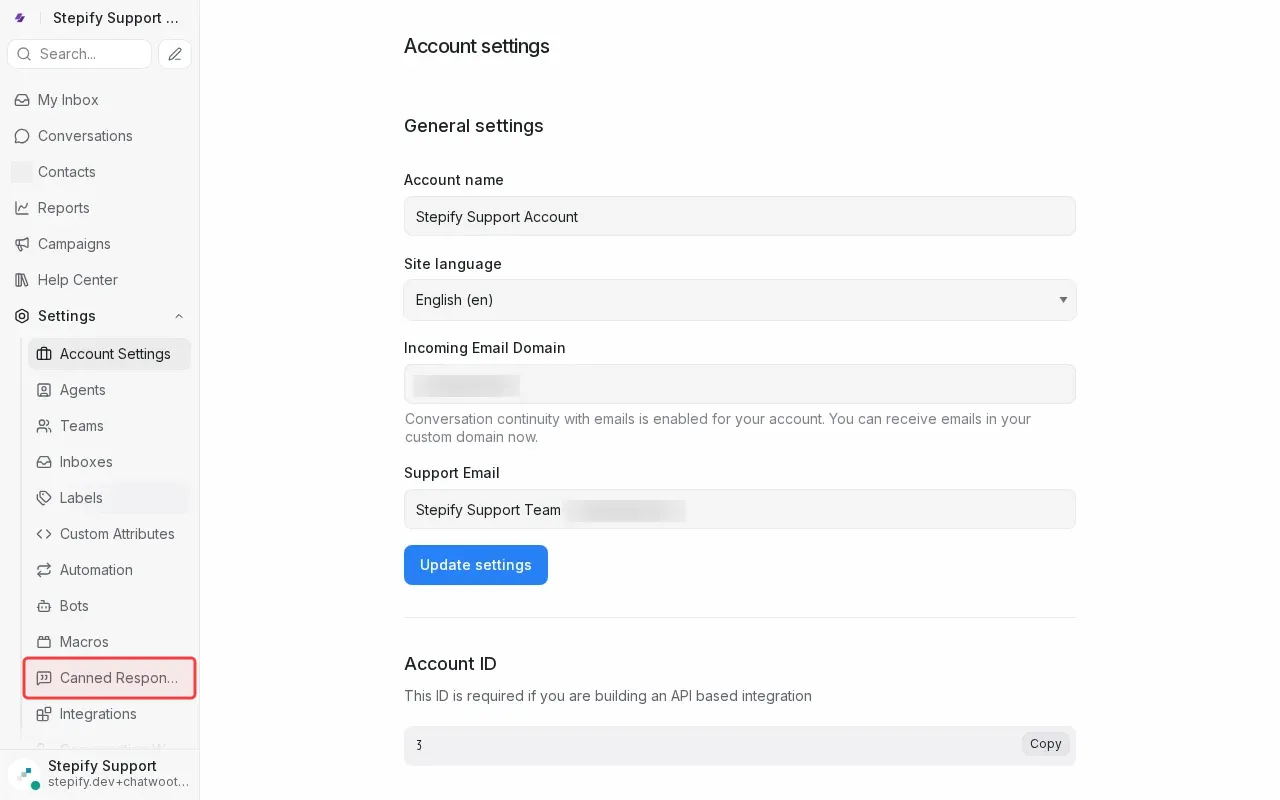
Step 2: Click 'Canned Responses' in the settings menu.

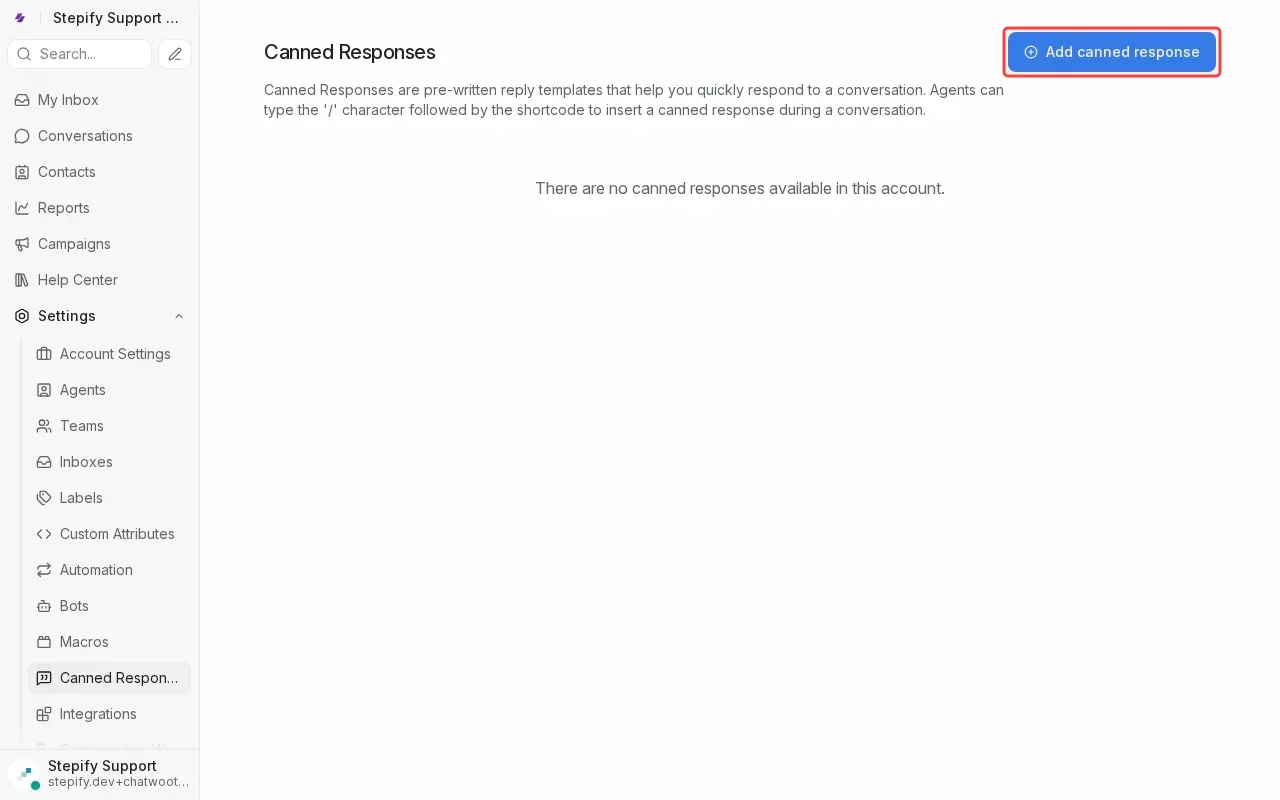
Step 3: Click 'Add canned response' button to open form.

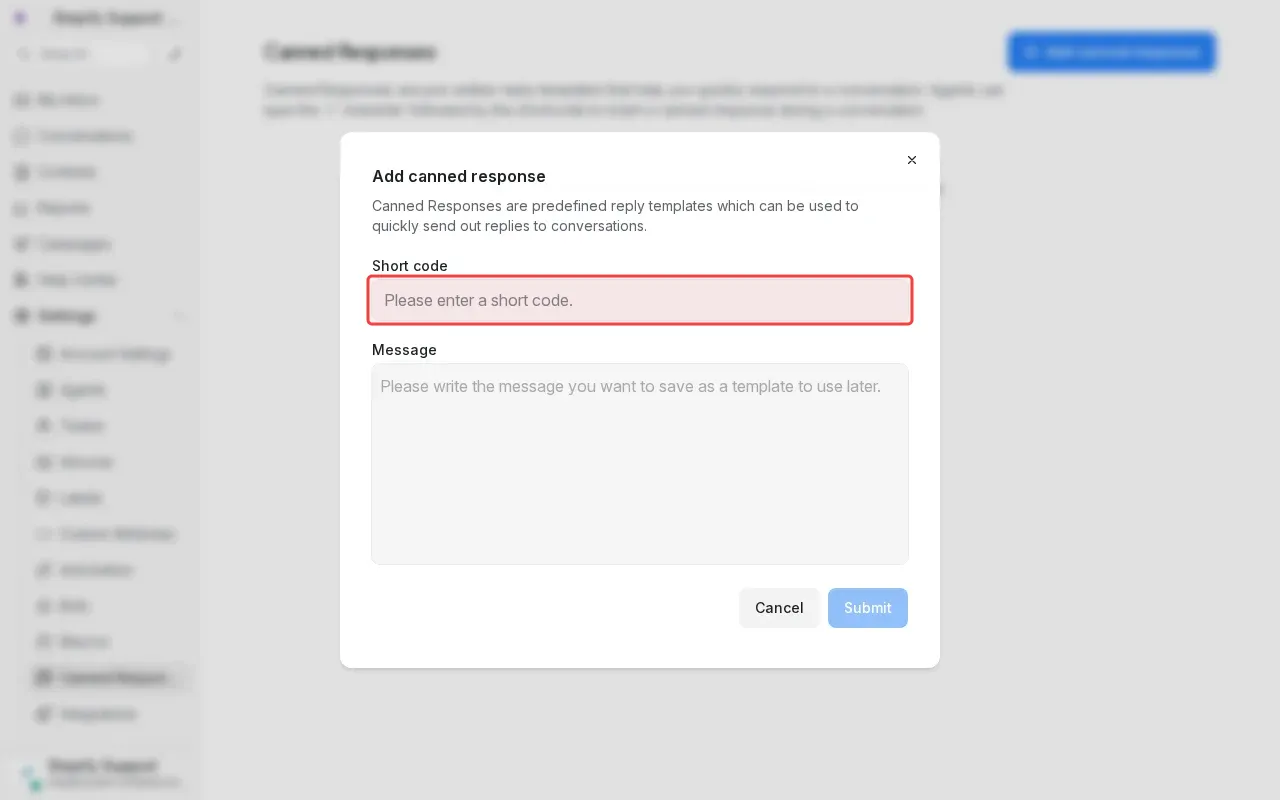
Step 4: Type 'greeting' in the short code field.

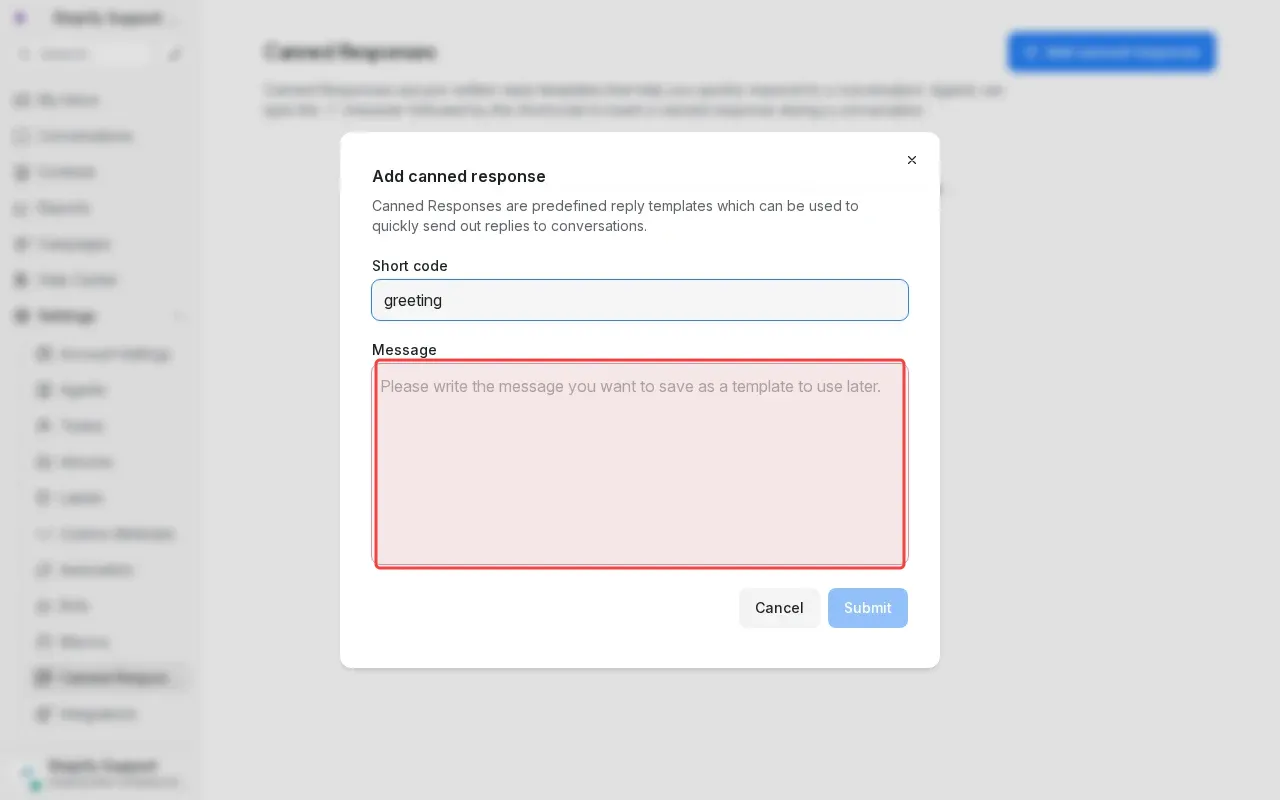
Step 5: Type greeting message in the content textarea.

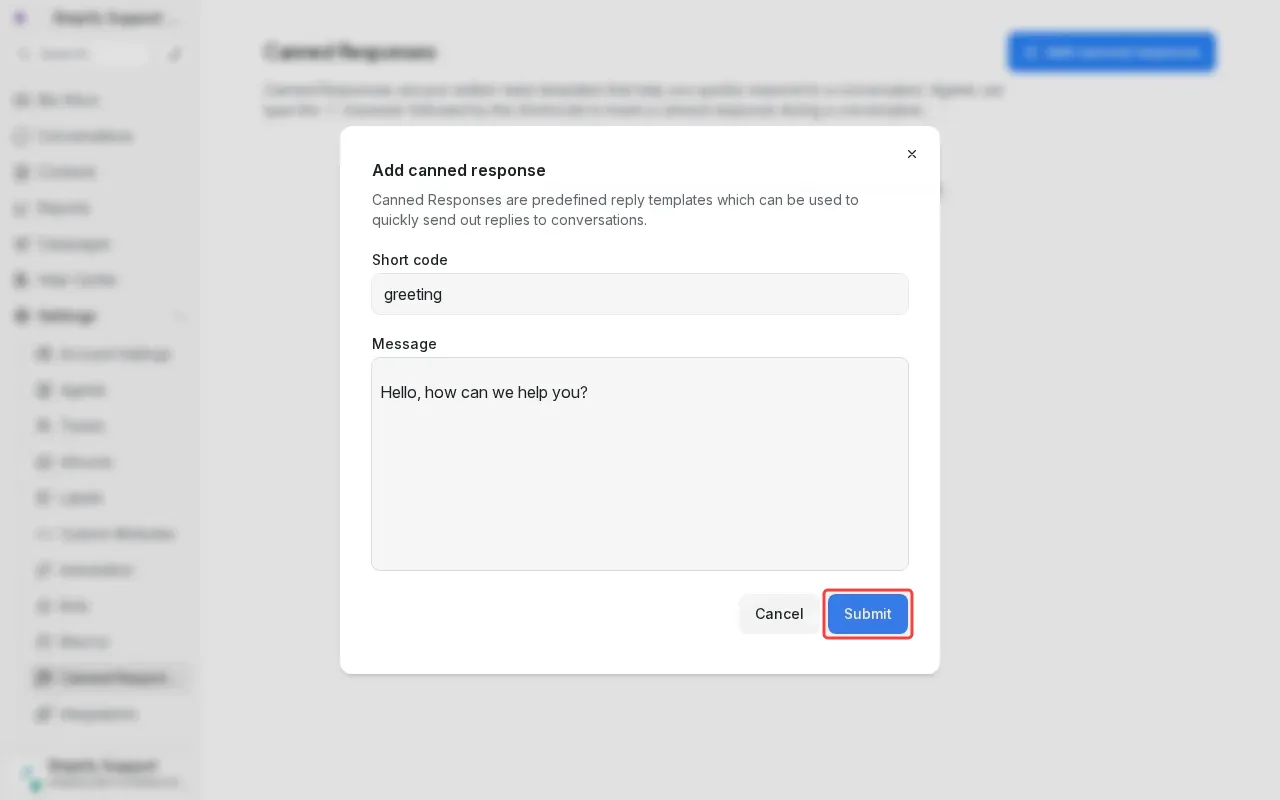
Step 6: Click 'Submit' to save the canned response.

Step-by-Step Guide

1

Click 'Settings' in the sidebar to open settings.
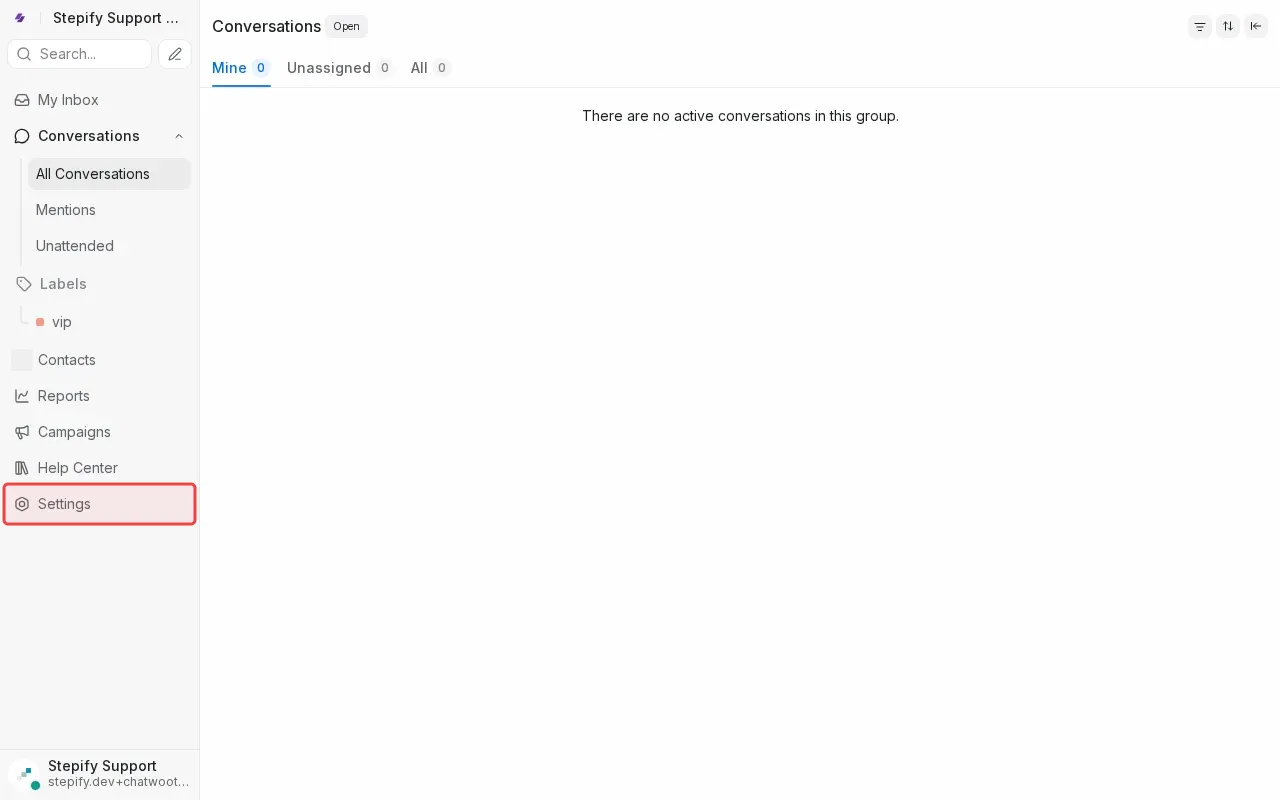
Screenshot showing clicking Settings in the sidebar to open settings
2

Click 'Canned Responses' in the settings menu.

Screenshot showing clicking Canned Responses in the settings menu
3

Click 'Add canned response' to open form.

Screenshot showing clicking Add canned response to open form
4

Type 'greeting' in the short code field.

Screenshot showing typing greeting in the short code field
5

Type greeting message in the content textarea.

Screenshot showing typing greeting message in the content textarea
6

Click 'Submit' to save the canned response.
Screenshot showing clicking Submit to save the canned response