Calendly

How to create a group event in Calendly

4 steps 25s 08/03/2026 16:40 69 views
0:00 / 0:00

Transcript

Step 1: Click 'Create new event type' in sidebar to start.

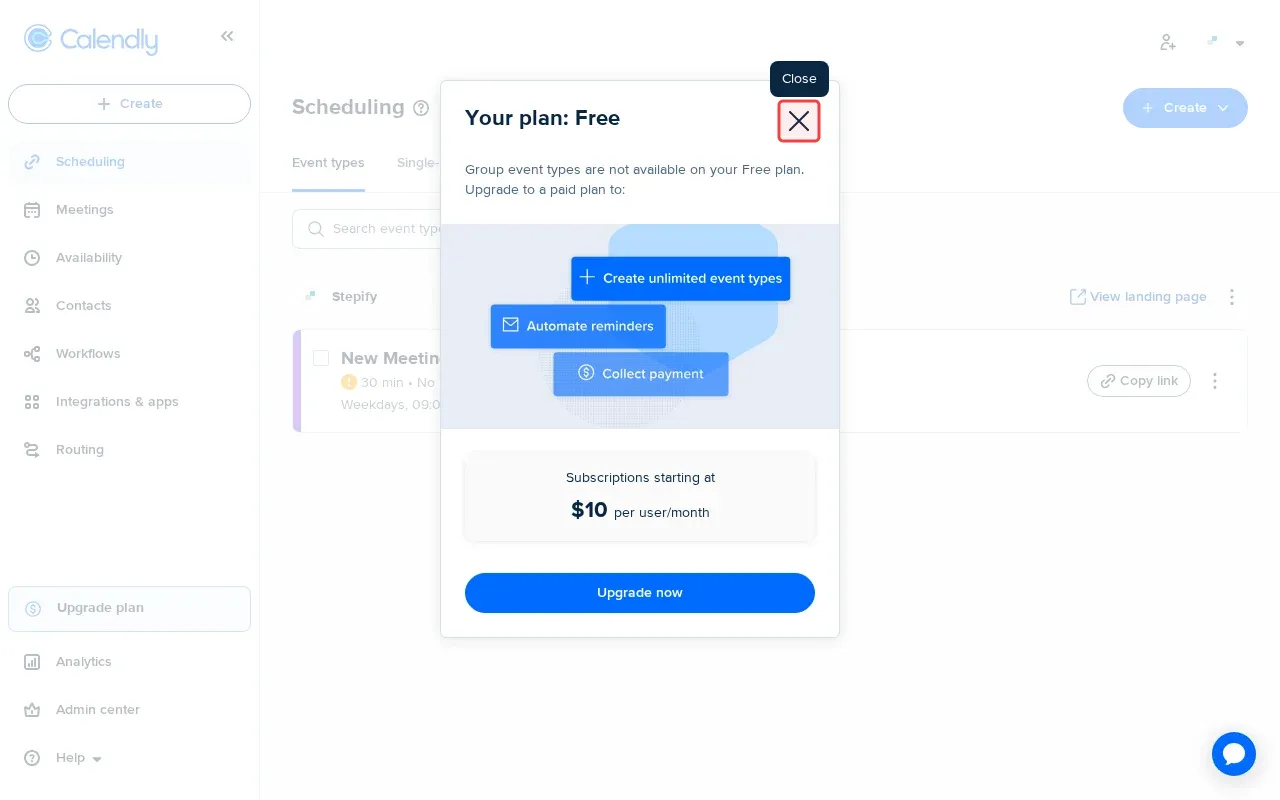
Step 2: Close the upgrade modal to continue.

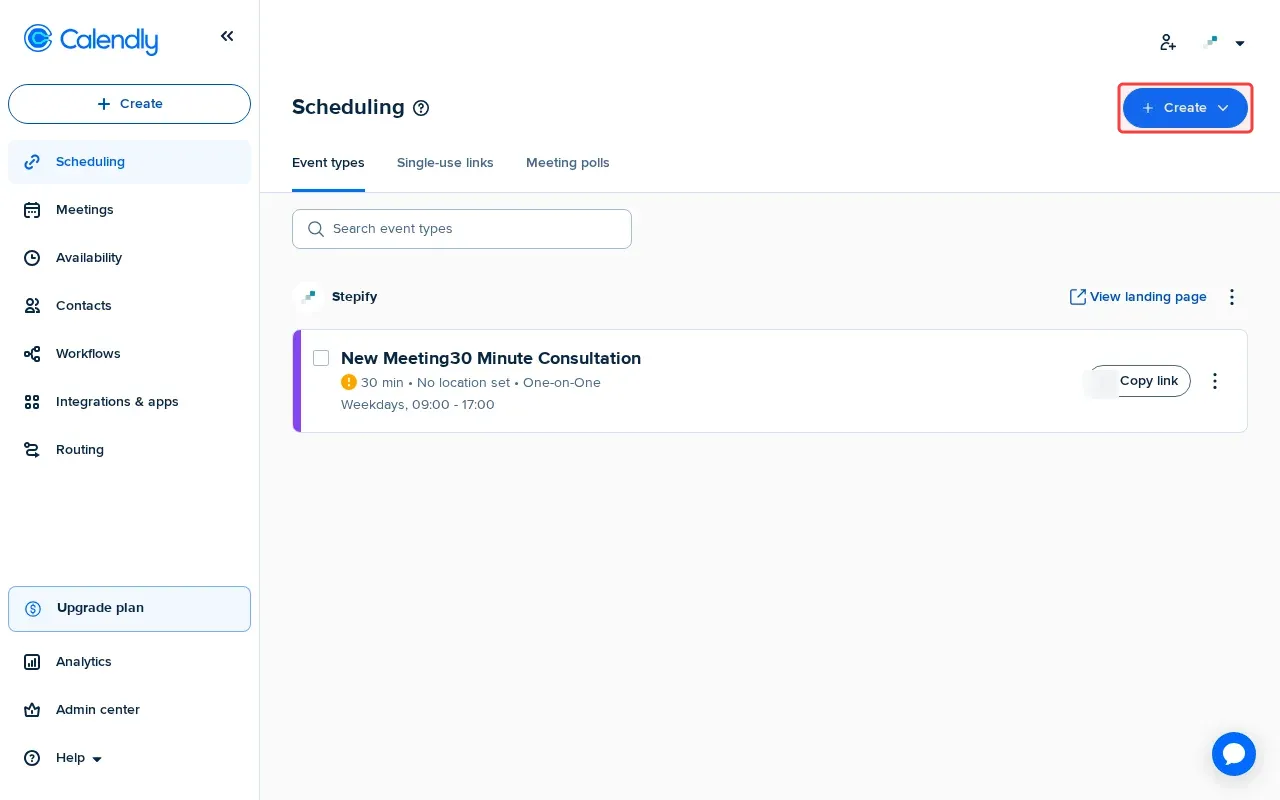
Step 3: Click 'Create' button in header to open event creation options.

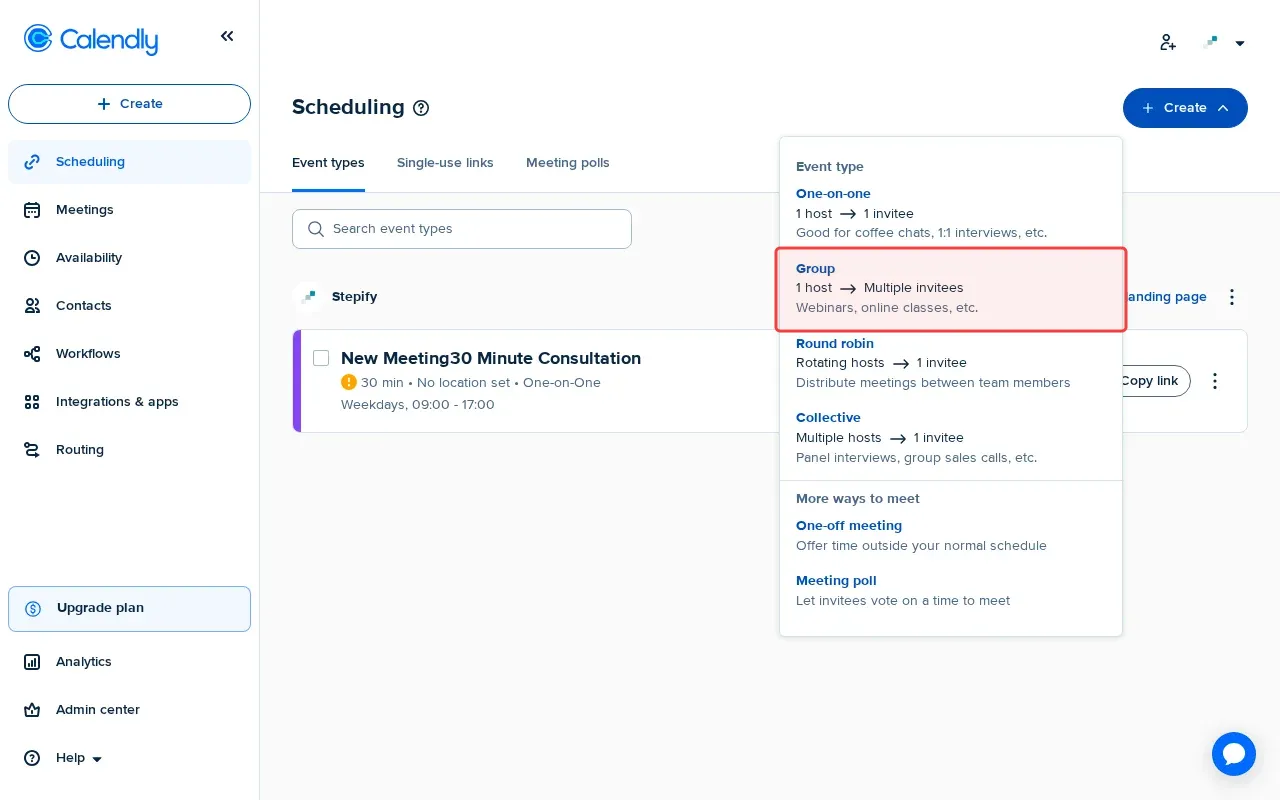
Step 4: Click 'Group' to select group event type option.

Step-by-Step Guide

1

Click 'Create new event type' in sidebar to start.
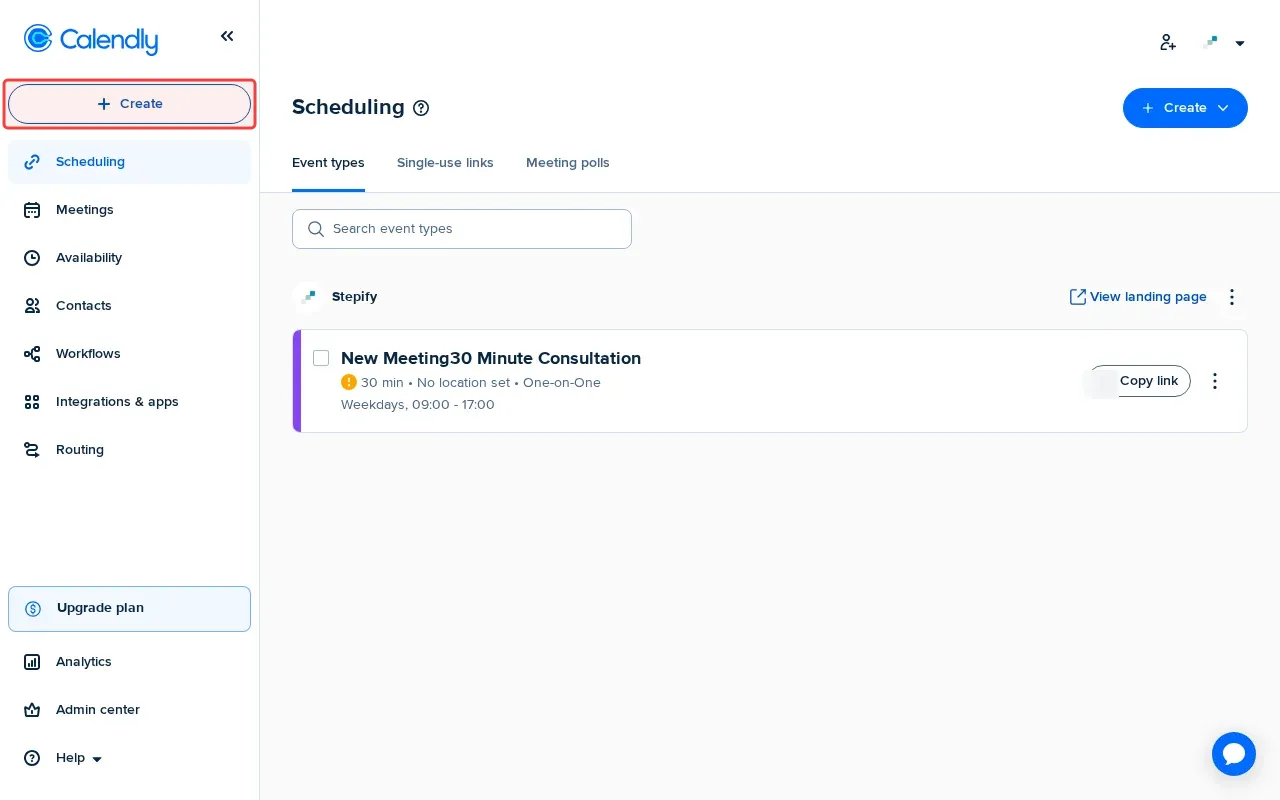
Screenshot showing clicking Create new event type in sidebar to start
2

Close the upgrade modal to continue.

Screenshot showing closing the upgrade modal to continue
3

Click 'Create' in header to open event creation options.

Screenshot showing clicking Create in header to open event creation options
4

Click 'Group' to select group event type option.
Screenshot showing clicking Group to select group event type option