Odoo CRM

How to add a lead to the pipeline in Odoo

6 steps 1m 53s 18/02/2026 16:34 7 views
0:00 / 0:00

Transcript

Step 1: Click the app switcher grid icon to open menu.

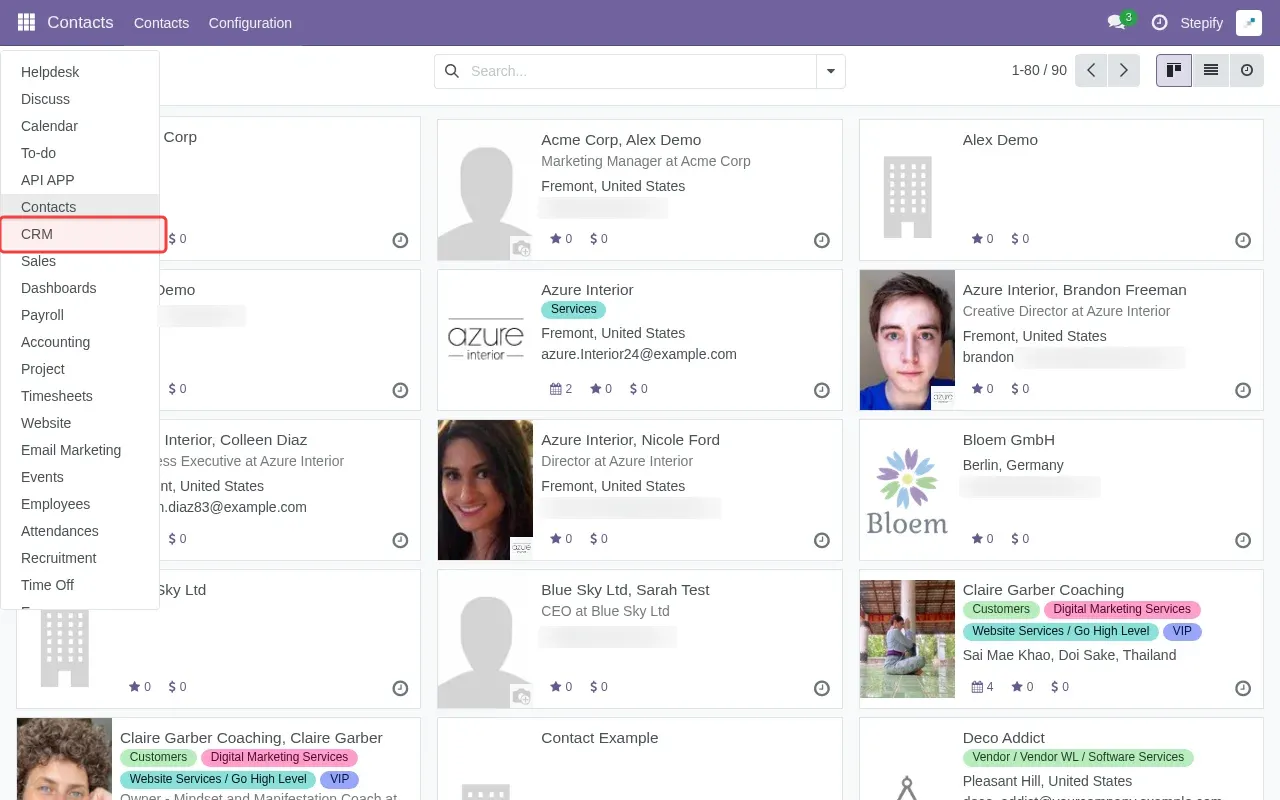
Step 2: Click 'CRM' in the sidebar to access the pipeline.

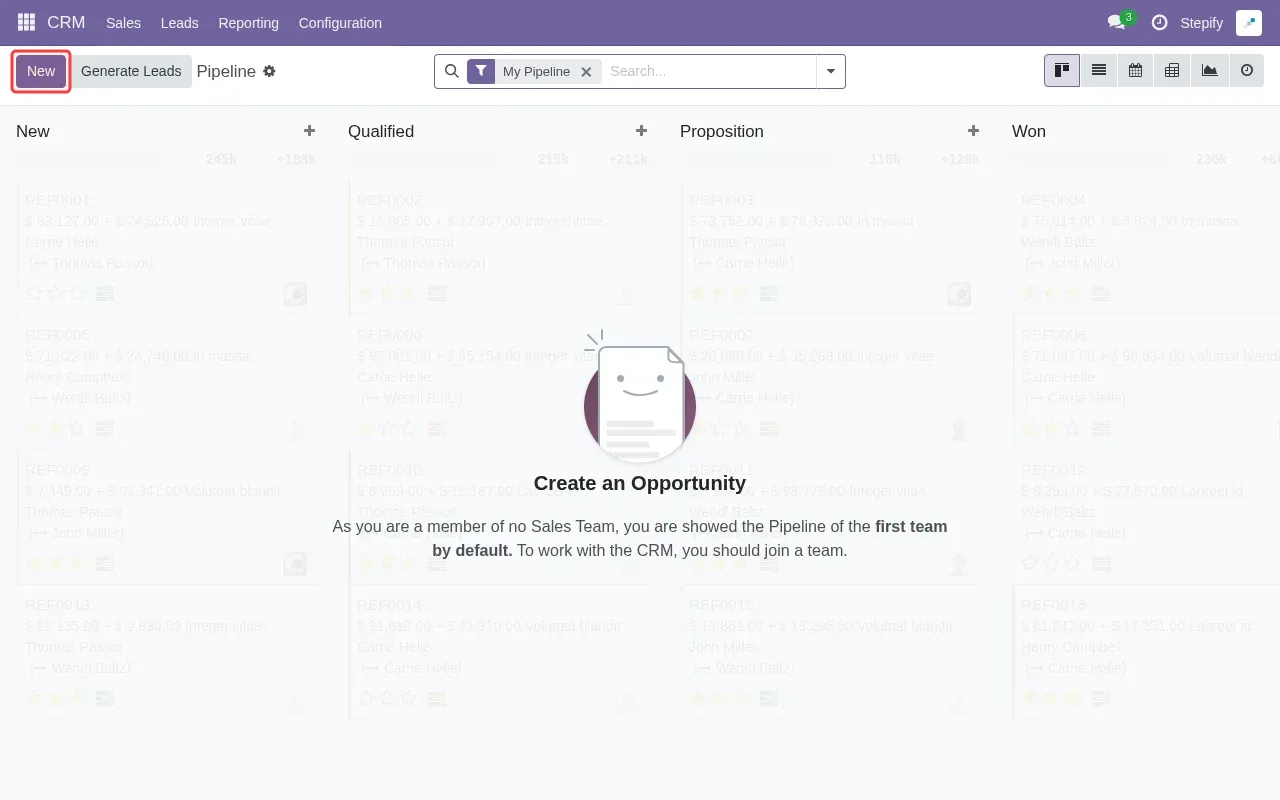
Step 3: Click 'New' button to create a new lead.

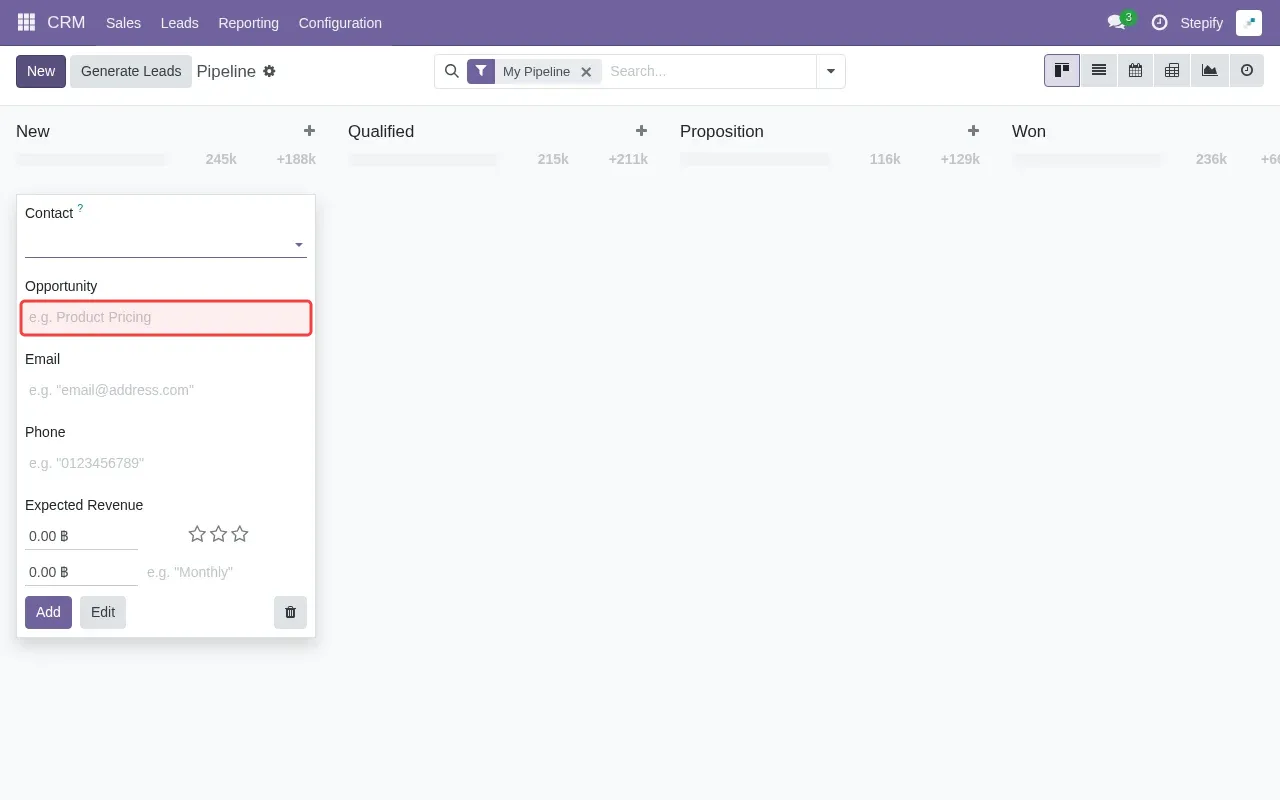
Step 4: Type 'New Sales Lead' in the Opportunity field.

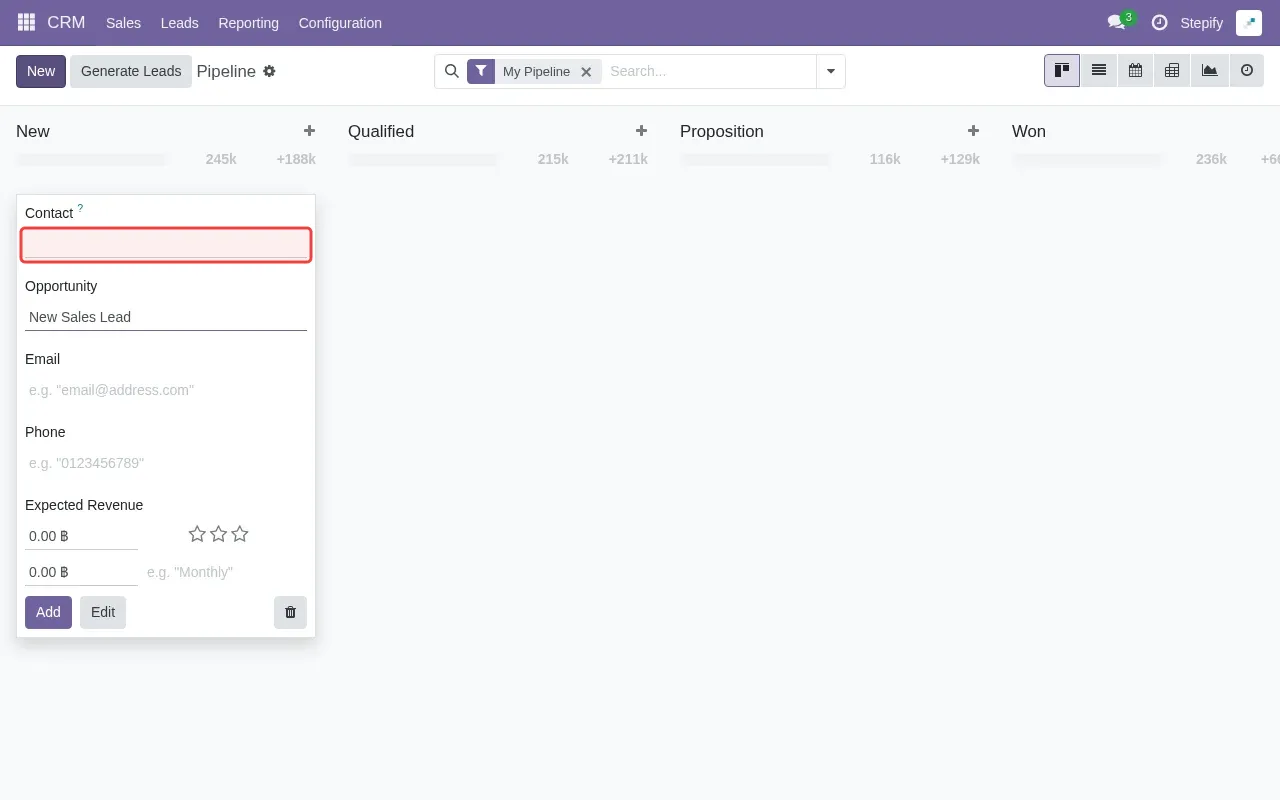
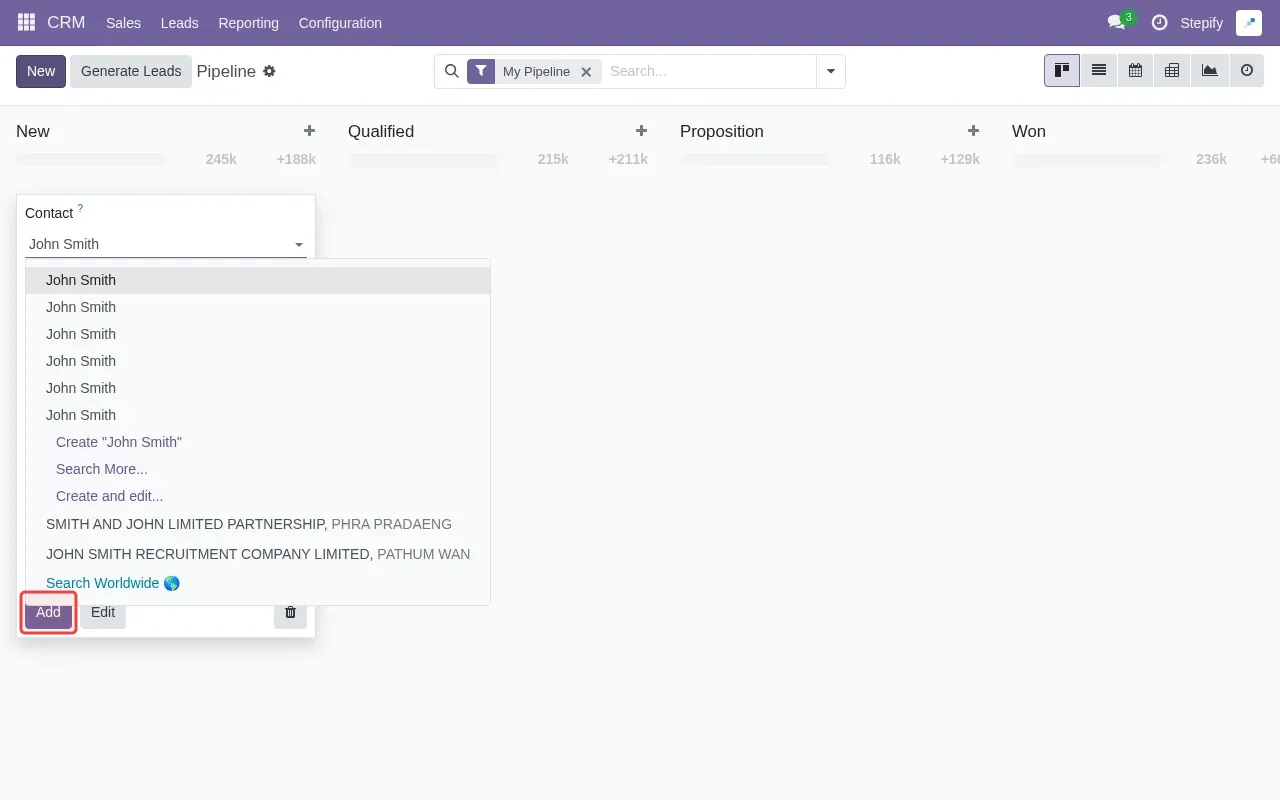
Step 5: Type 'John Smith' in the Contact field.

Step 6: Click 'Add' button to save the new lead.

Tutorial complete.

Step-by-Step Guide

1

Click the app switcher grid icon to open menu.
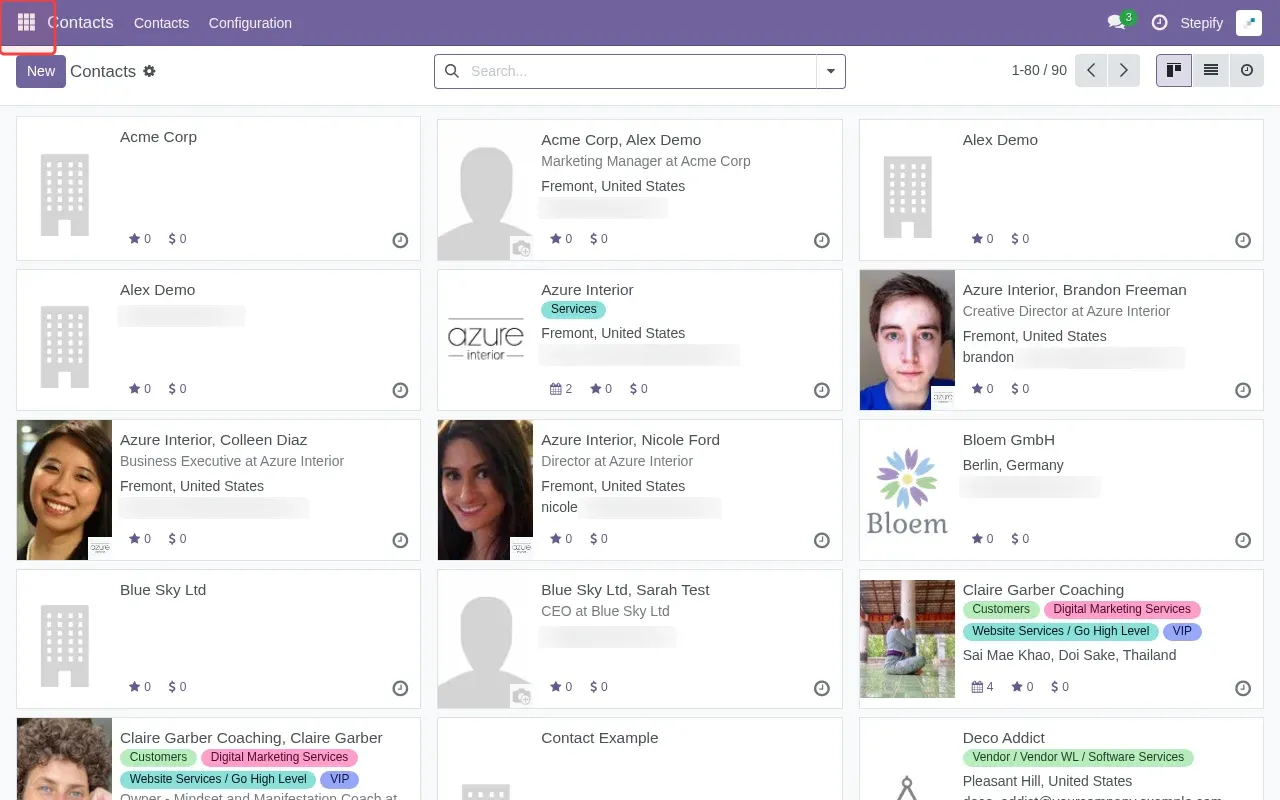
Screenshot showing clicking the app switcher grid icon to open menu
2

Click 'CRM' in the sidebar to access the pipeline.

Screenshot showing clicking CRM in the sidebar to access the pipeline
3

Click 'New' button to create a new lead.

Screenshot showing clicking New button to create a new lead
4

Type 'New Sales Lead' in the Opportunity field.

Screenshot showing typing New Sales Lead in the Opportunity field
5

Type 'John Smith' in the Contact field.

Screenshot showing typing John Smith in the Contact field
6

Click 'Add' button to save the new lead.

Screenshot showing clicking Add button to save the new lead