Skip to main content
Stepify
/
Tutorial
Stepify
/
Tutorials
/
How to create a new canned response called Quick Reply
Chatwoot
How to create a new canned response called Quick Reply
6
steps
32s
18/02/2026 18:48
50 views
PDF
ZIP
Share
Step-by-Step Guide
1
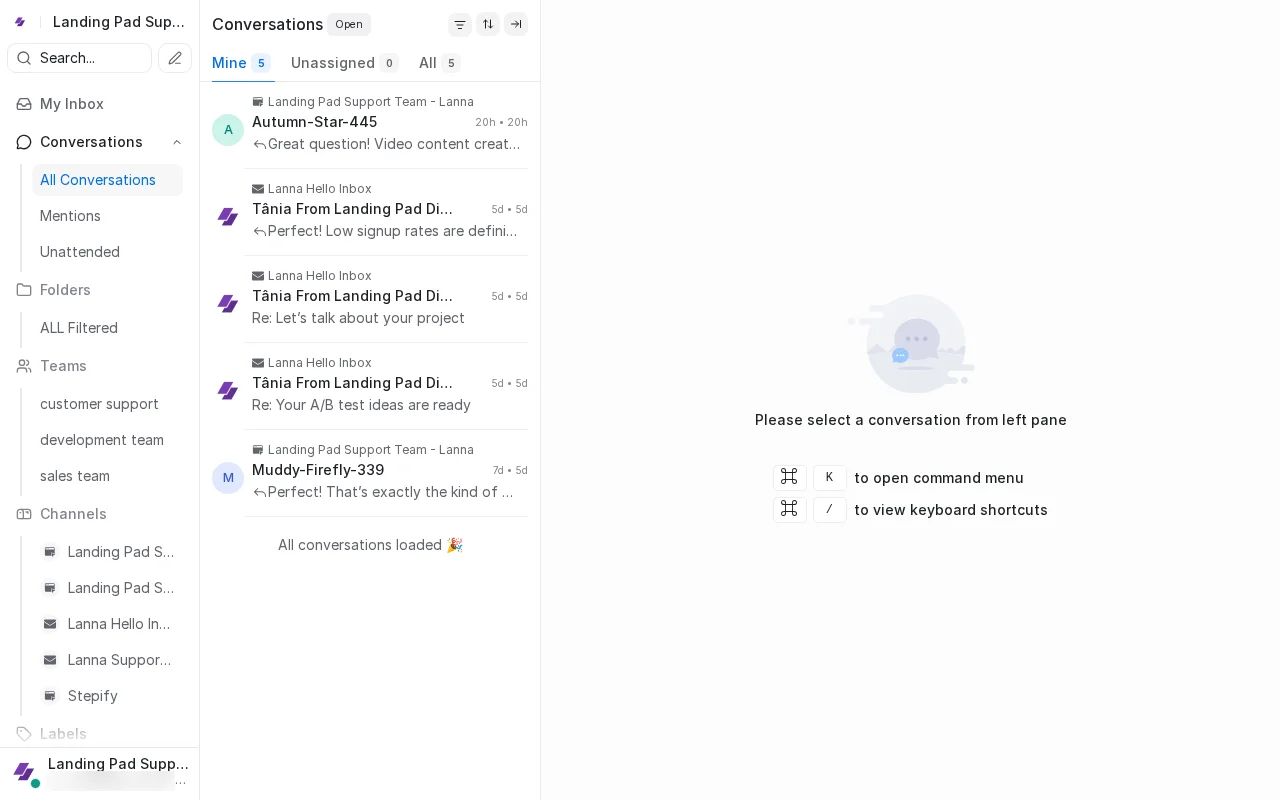
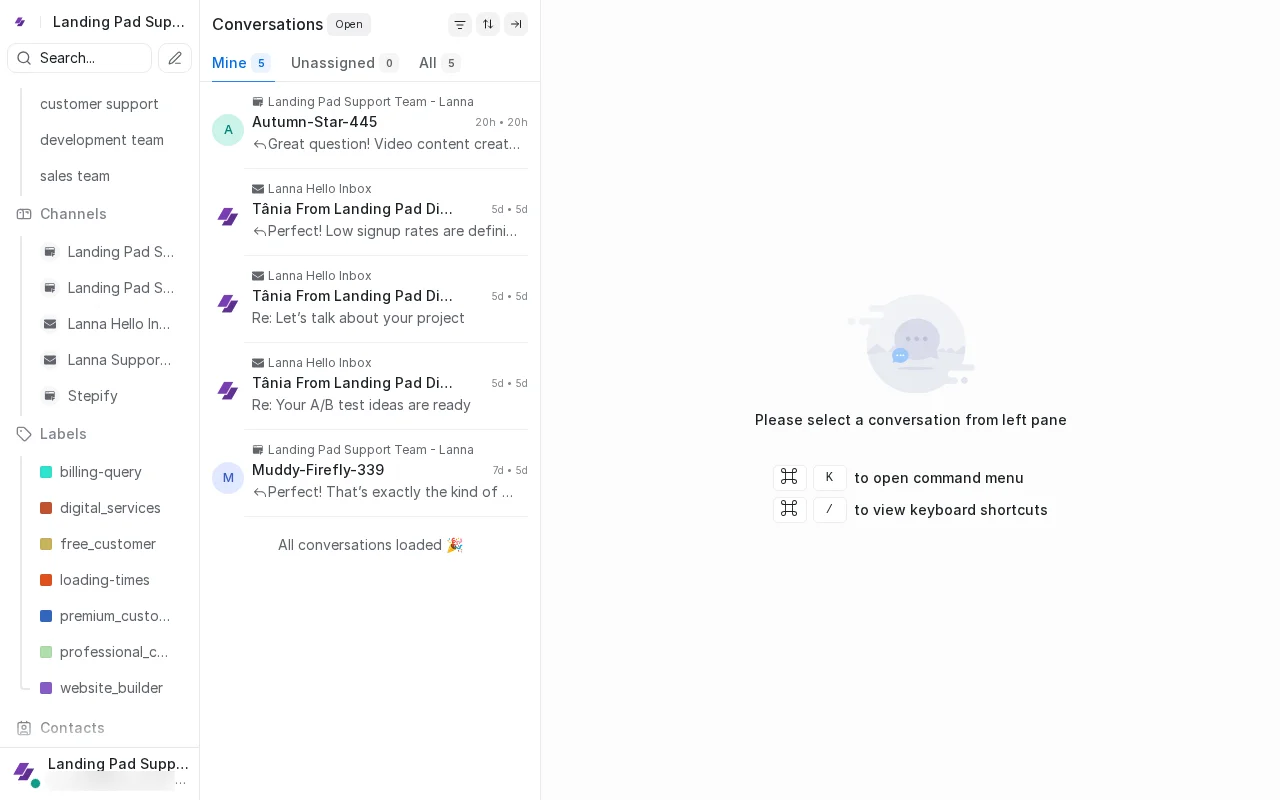
Scroll down to find Settings gear icon at bottom of sidebar.
2
Scroll down to find Settings gear icon.
3
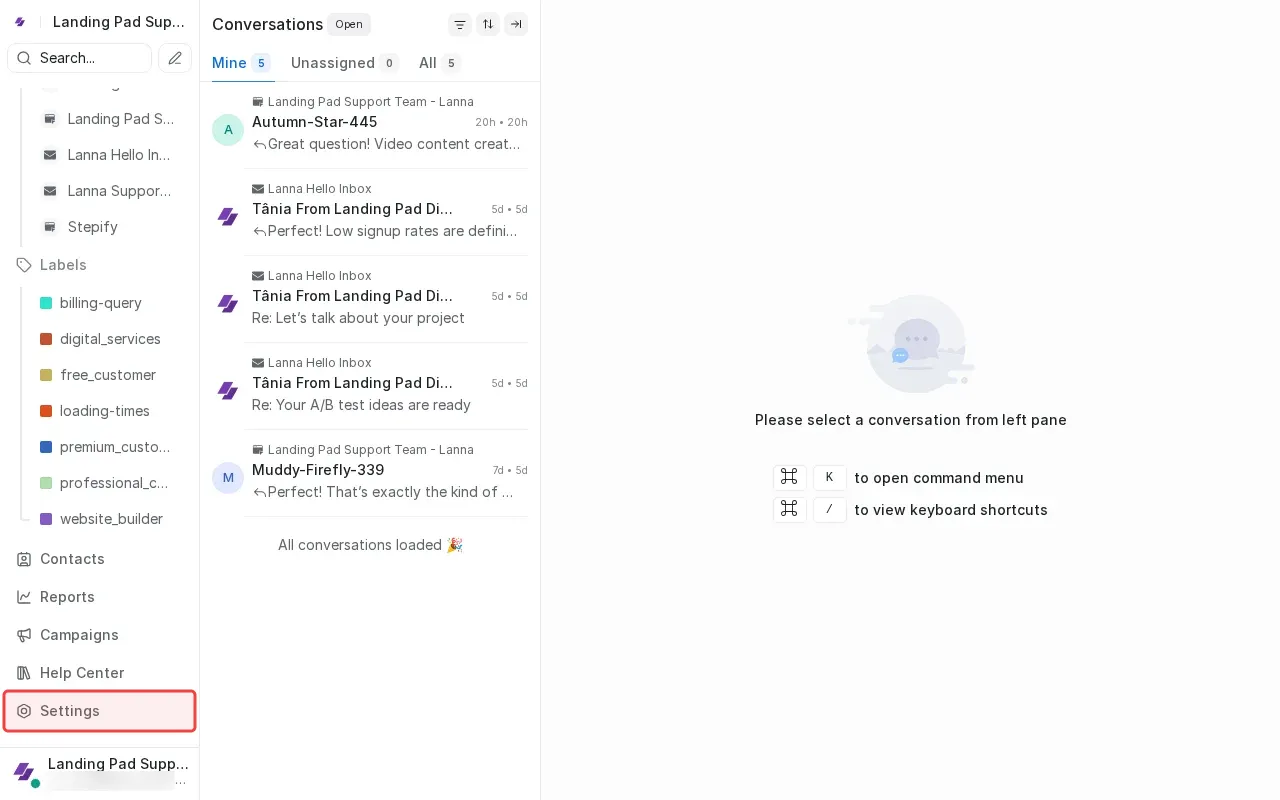
Click Settings in sidebar to open settings menu.
4
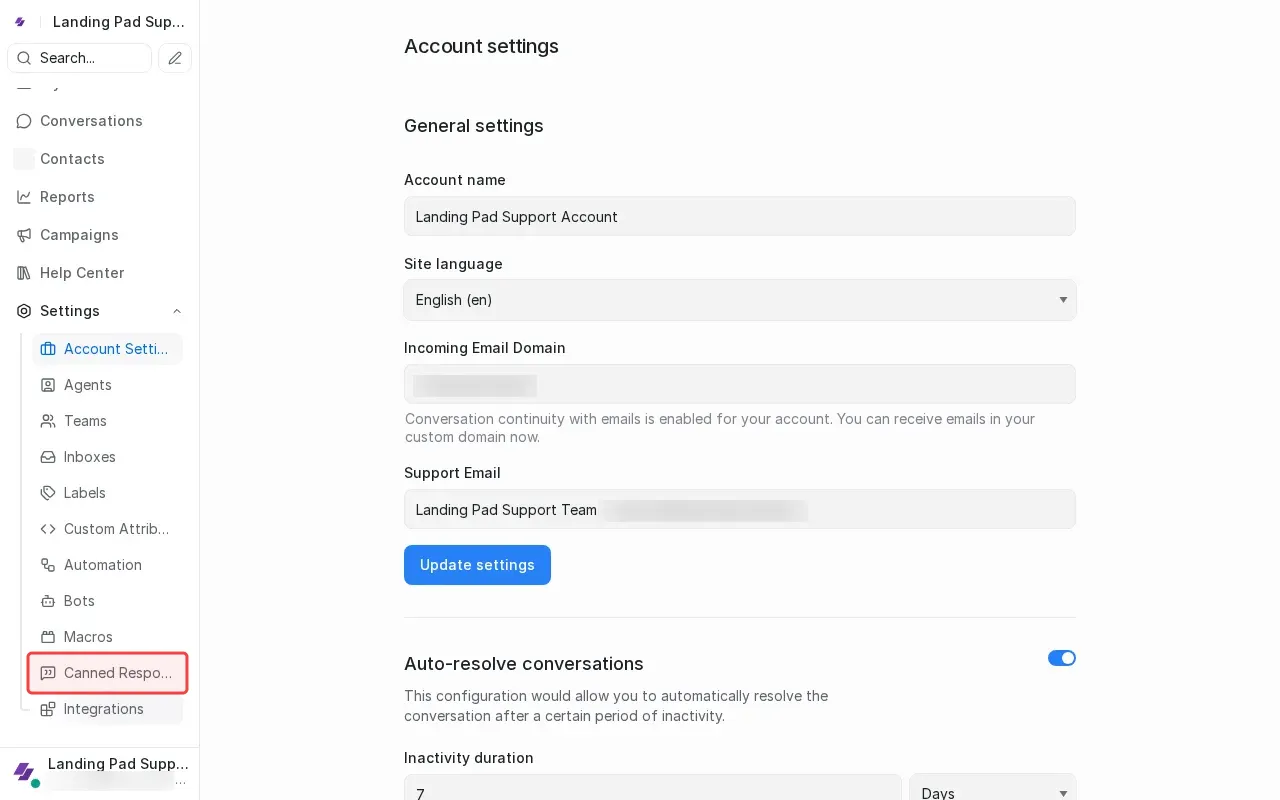
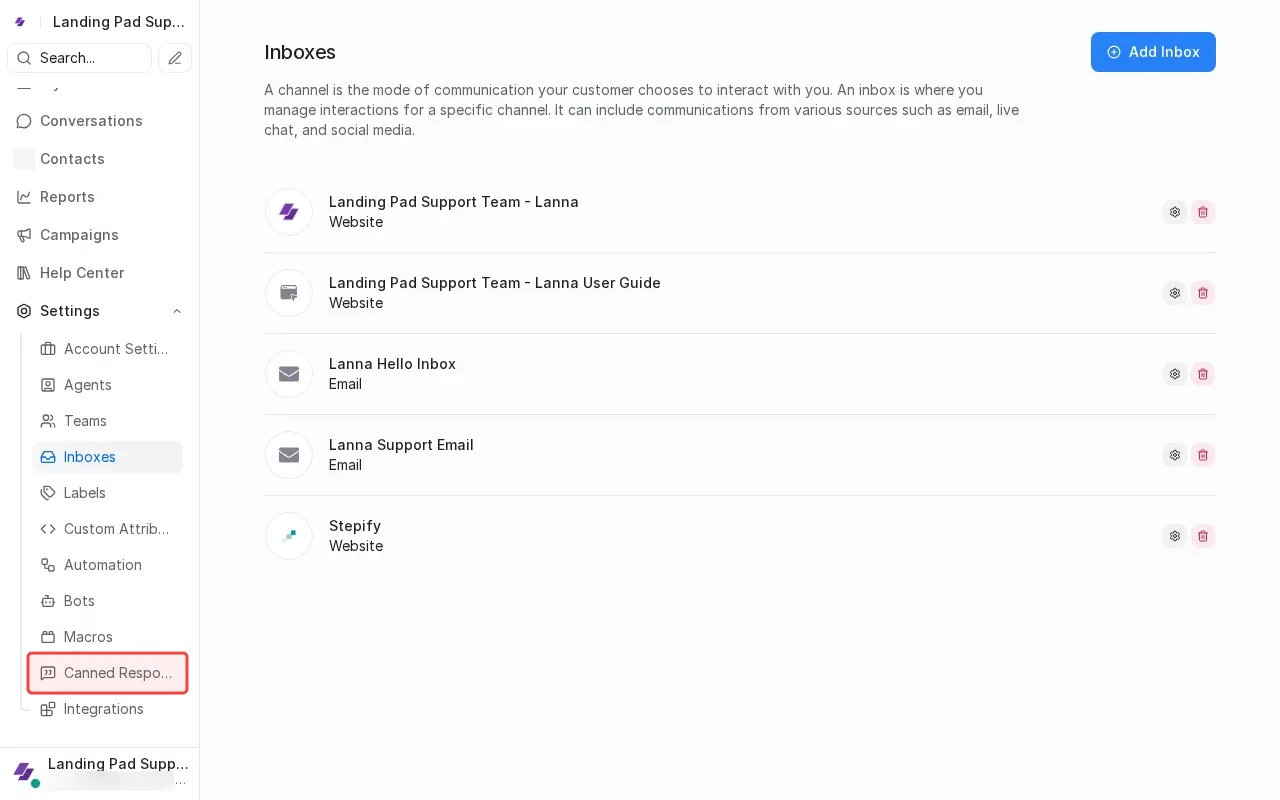
Click 'Canned Responses' in the settings submenu.
5
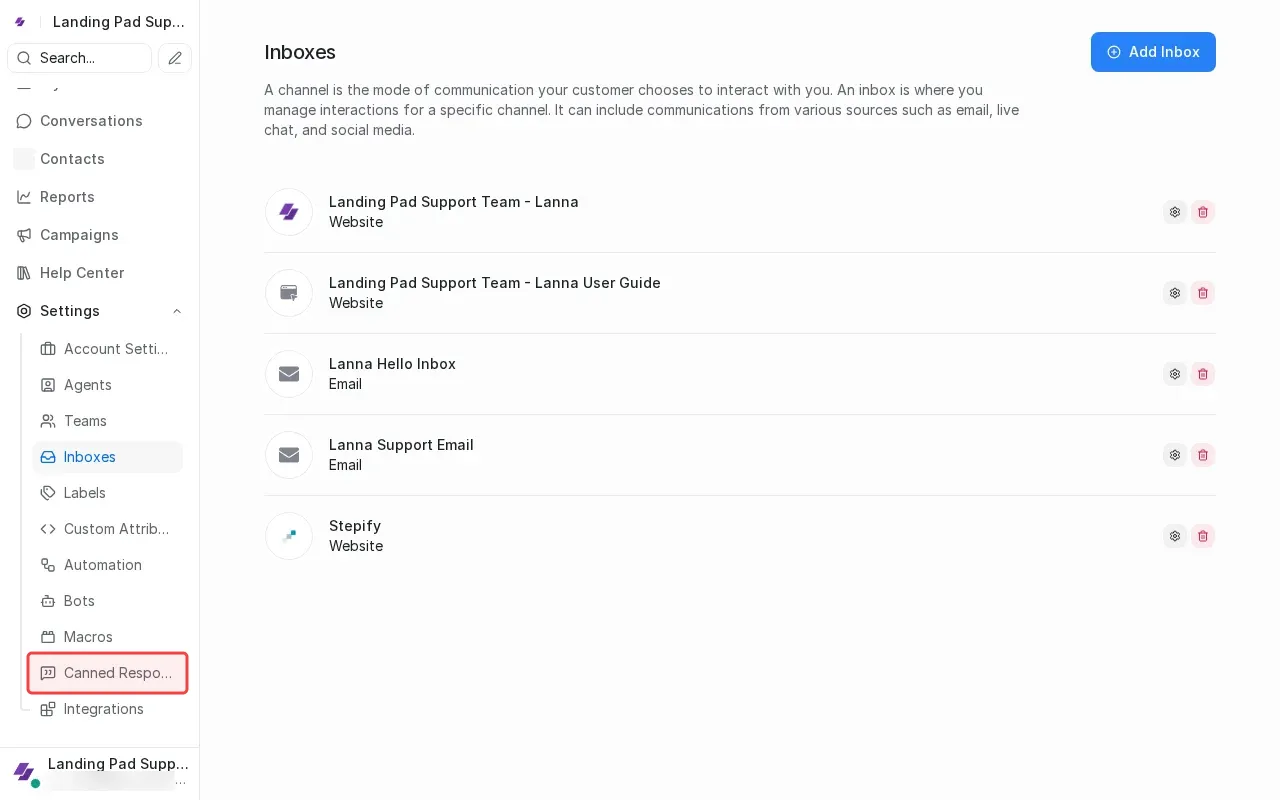
Click 'Canned Responses' in settings submenu.
6
Click 'Canned Responses' in settings submenu.
×
‹
›